



 Fabian Lainé
Tips
Genshin Impact 7.0: Lukov's missing chests are recoverable with the Cryo Treasure Compass, and HoYoverse reverted its own August 20 fix
In brief
HoYoverse released three waves of patches within twenty-four hours on Genshin Impact 7.0, the most crucial of which: Lukov's chests at Frostfell Peak can now be retrieved with the Cryo Treasure-Seeking Seelie. The publisher also rolled back a fix that was causing the Traveler to disappear during the Archon quest "Mistilteinn," preferring to leave two minor display glitches rather than risk a major bug.
HoYoverse pushed three waves of fixes to Genshin Impact in a little over twenty-four hours: on August 20 at 16:10, on August 20 at 20:00 and on August 21 at 17:55, Europe server time. That server runs on UTC+1: in Paris time, that works out to 17:10, 21:00 and 18:55 respectively.
None of this goes through the patch notes: it lives inside the in-game notice titled "Version Details - What's New", which most players close without reading. It nevertheless holds three pieces of information you can act on this weekend, one of which lets you recover chests you thought were gone for good.
1. Lukov's chests: they are recoverable, and here is how
This is the most important fix of the batch for anyone exploring Snezhnaya. The official wording:
"Fixes an issue whereby, under certain circumstances, the relevant chest did not appear after completing the challenge offered by the NPC Lukov in Fellfrost Peak, Snezhnaya. Travelers who encounter this issue can return to the vicinity of the challenge location and use the Cryo Treasure Compass to locate the chest."
Three details deserve to be spelled out, because HoYoverse's phrasing is precise:
- The fix does not make the chests appear on its own. It restores their spawn, but it is up to the player to go back there.
- The method named is not "check your map" but the Cryo Treasure Compass, Snezhnaya's regional gadget. Without it, you are searching blind.
- The bug only affected "certain circumstances": if your chests did show up on the day of the challenge, there is nothing to redo.
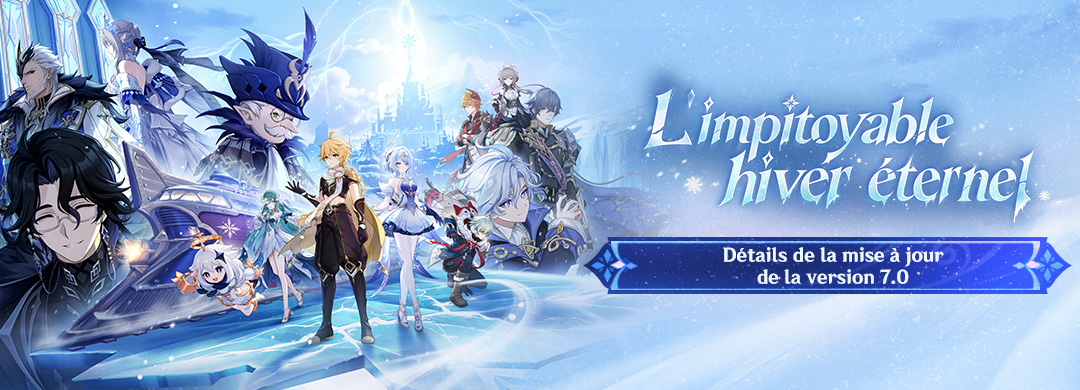
Put plainly: if you completed Lukov's challenge between August 12 and August 20 and saw nothing appear, the round trip is worth making. Fellfrost Peak is one of the areas opened by 7.0 "Everwinter Without Mercy", alongside Volkodlak Tundra, White Birch Snowgrave, Everfrozen Earth and Flamefeather Valley.
2. Intel Iris Xe: the screen flickers on entering Snezhnaya, and the game is not the place to fix it
HoYoverse files this one under Known Issues, meaning it has not been fixed. The official wording:
"Currently, PC devices equipped with Intel® Iris® Xe series graphics cards may experience abnormal screen flickering when entering the Snezhnaya region."
The recommended fix does not go through the game's settings: HoYoverse points to the Intel official website to download and install the latest graphics driver, then a device restart. A HoYoLAB article walks through the procedure step by step.
One piece of common sense HoYoverse does not spell out: lowering graphics quality in game will not stop this flickering, and neither will filing it with support as a game bug. It is a driver incompatibility, and the only useful action on the player's side is the Intel driver update.
3. The Traveler vanishing during "Mistilteinn": HoYoverse rolled its own fix back
This is the most instructive episode of the three, and it deserves to be told in order.
On August 20 at 16:10, HoYoverse fixed two display faults on mobile: the Traveler character model — "including issues with Aether's earring and Lumine's top" — and the eyes of Aether and Lumine during certain quest dialogues, notably with Graphics Quality set to "Lowest".
On August 21 at 17:55, the publisher announced that those fixes had created a worse problem:
"[…] a new issue causing the Traveler to disappear abnormally during "Mistilteinn" in the Archon Quest was introduced. The relevant fixes have been reverted. The aforementioned display issues will be fixed separately in a future update."
What that means in practice: since the evening of August 21, both mobile display faults are back, deliberately. If you play on a phone and see the earring or the Traveler's top rendering badly again, that is not an accidental regression, it is an owned rollback. And if you had shelved the Archon Quest "Mistilteinn" because of the disappearing bug, it is playable again.
The rest of the August 20 fixes, in one table
| Area affected | Issue fixed |
|---|---|
| Eye of Graeae | The "Decorate Carriage" and "Remove Decoration" options for the summoned train could be unlocked before completing the World Quest "Daybreak After the Snow". They now only appear afterwards. Decorations already placed are unaffected. |
| Archon Quests (mobile) | Display abnormalities and unresponsive controls when performing a slide during "Everwinter Without Mercy" and "Gunfire in the Silent Lands". |
| Odette | Weapon position displayed incorrectly after a Charged Attack. |
| Edge of Survival | Characters unable to enter cover, and abnormal behaviour from some enemies. |
| Open world | Camera behaving abnormally after a fight against the Immortal Construct or the Chimeric Winged Lion. |
| Genshin Impact · Cloud | The Eye of Graeae "Third-Person Shooter" settings reverted to default after re-entering the game. |
| Miliastra Wonderland | Playtime displayed abnormally in "Top Comments" (fixed on August 20 at 20:00), incorrect tags on the Irminsul server, and an inability to load more stages after switching to the "Wonderland Rising Stars" tab. |
One known issue still open: Mitya's element
A final point flagged but not yet fixed: in a cutscene for the Archon Quest "Wraith's Nocturne", the Elemental Type icon shown for Mitya is wrong — HoYoverse states it "should be an Electro "Stellar Linchpin"". The fix is announced for a future update, with no date.
It is purely cosmetic and has no effect on gameplay, but the information has its uses: if you were relying on that cutscene to work out a character's element, do not. The data on screen is wrong, and the publisher says so itself.
What to do this Sunday, in order
- If you completed Lukov's challenge at Fellfrost Peak and saw no chest: head back with the Cryo Treasure Compass equipped.
- If you play on an Intel Iris Xe PC: update the graphics driver from Intel's site, then restart, before heading back to Snezhnaya.
- If you had set "Mistilteinn" aside: the quest has been playable again since the evening of August 21.
- If you decorate the Eye of Graeae carriage: the options are gone until "Daybreak After the Snow" is complete — that is not a bug, that is the fix.
Share this article
Did you grab Lukov's chests on your first run, or were you waiting for a fix?
Frequently asked questions
I finished Lukov's challenge and no chest appeared. How do I get them now?
Go back to Frostfell Peak with the Cryo Treasure-Seeking Seelie equipped. It's the regional gadget from Snezhnaya that lets you locate them. The patch restores their appearance, but you have to go find them yourself.
Why did HoYoverse roll back its August 20 patch?
Because the patch was causing a more serious bug: the Traveler completely disappeared during the Archon quest "Mistilteinn." The publisher chose to leave two minor visual glitches rather than block an entire quest. The glitches will be fixed differently in a future update.
I can barely see Aether's earrings on mobile since August 21. Is that a regression?
No, it's intentional. The patch that displayed them correctly was the same one that made the Traveler invisible elsewhere, so HoYoverse rolled it back. The display glitch will return on its own after a dedicated fix, without breaking the quest.
My screen is flickering a lot in Snezhnaya on my PC. How do I fix it?
You probably have an Intel Iris Xe. The flickering comes from a driver incompatibility, not the game. Download and install the latest graphics driver from Intel's official website, then restart your PC. The game's graphics settings won't change anything.
Mitya's element in "Specters' Nocturne" displays incorrectly. Is Mitya not actually Electro?
The display is wrong, and HoYoverse acknowledges it: Mitya should be an Electro stellaron. The bug won't be fixed immediately, so don't rely on this cutscene to confirm a character's element.
Key takeaways
- Lukov's chests now appear if you go back to Frostfell Peak with the Cryo Treasure-Seeking Seelie equipped.
- HoYoverse rolled back its August 20 patch because it made the Traveler invisible during "Mistilteinn," accepting to leave minor visual glitches rather than blocking the quest.
- The mobile display issues with Aether and Lumine's model have deliberately returned: it's a conscious choice, not an accidental regression.
- PCs with Intel Iris Xe experiencing screen flickering should update their graphics driver directly from Intel, not look for a fix in the game's settings.
- A cosmetic issue persists: Mitya's element icon in "Specters' Nocturne" incorrectly displays an Electro stellaron, but HoYoverse acknowledges it and will fix it later.
Comments
No comments yet. Be the first to react!
Leave a comment
Similar guides
Latest articles








Your opinion counts
Rate Genshin Impact
Click a star to rate