



 Fabian Lainé


Tips
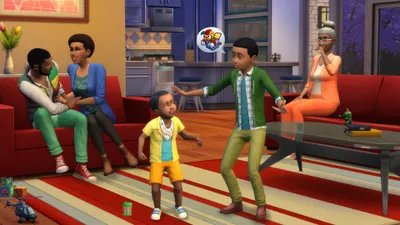
Sims 4: mastering aging and the 7 life stages
In brief
The Sims 4 features seven life stages (plus an infant stage since 2023), each with its own duration and mechanics. Between gameplay options, birthday cakes, youth potions, and cheat codes, you have full control over the passage of time: speed it up, slow it down, or stop it completely depending on how much drama you're in the mood for.
The passage of time is one of the most powerful dramatic devices in The Sims 4. A toddler saying their first words, a teen slamming a door, a young adult ruining their own wedding because they age up mid-ceremony… aging gives your gameplay its novelistic sweep, but it can also wreck a long-term project if you don't keep it under control. Good news: Maxis has multiplied the levers available, from gameplay options to objects, aspiration rewards, and cheat codes. This 2026 guide covers the seven life stages of a Sim, their durations after the latest patches, and the methods for freezing, speeding up, or reversing your characters' biological clock.
A Sim's life stages, from cradle to cane
Since the March 14, 2023 update (patch 142), The Sims 4 technically counts eight life stages, but the experience is still structured around the seven historic ages. The infant stage added in 2023 is a very brief transitional state, tucked right next to baby, which reshuffled the pacing of childhood.
- Infant: added in 2023, this tiny stage (less than one day on normal) keeps the newborn confined to their crib before they become a proper, interactive baby.
- Baby: now a full-fledged life stage, with crawling, bottles, tummy time, and deeper parental interactions.
- Toddler: introduced in January 2017 (patch 46), this stage brings its own skills (walking, potty training, communication) and small trait categories.
- Child: first school days, childhood aspirations, and creativity, mental, motor, and social skills.
- Teen: high school, part-time jobs, and romance. The High School Years expansion deliberately lengthened this stage to make it more memorable.
- Young Adult: this is where career-building, starting a household, and parenthood without biological penalties all play out.
- Adult: the longest phase on normal mode, marked by midlife crises, heavier responsibilities, and careers hitting their ceiling.
- Elder: gray hair, retirement, grandchildren, and… a possible visit from the Grim Reaper.
How long does each life stage last in 2026?
The durations aren't set in stone: Maxis rebalanced them in 2017 for the arrival of toddlers, again in 2022 with High School Years, and once more in 2023 when infants were added. Here is the current breakdown after the most recent patches, in in-game days depending on the chosen lifespan setting.
- Infant: ~0.5 day (short) · 1 day (normal) · 4 days (long)
- Baby: ~2.5 days · 5 days · 20 days
- Toddler: ~3.5 days · 7 days · 28 days
- Child: 7 days · 14 days · 56 days
- Teen: ~10.5 days · 21 days · 84 days
- Young Adult: 14 days · 28 days · 112 days
- Adult: 21 days · 42 days · 168 days
- Elder: variable duration, on average 7 · 14 · 56 days (death can occur randomly)
On normal mode, a Sim born on a Monday generally dies around the twentieth week of gameplay. On long mode, expect more than five hundred cumulative days to complete a full cycle, enough to turn a simple playthrough into a genuine family saga.
Keep in mind that the duration of the elder stage remains partly random: the game rolls a lifespan specific to each Sim, factoring in age, physical fitness, and certain aspiration rewards such as Longevity.
Adjusting aging in the game options
Even before typing in any cheats, the Game Options → Gameplay menu offers the essentials. There you'll find the Auto-Age slider and the short / normal / long lifespan setting, with a preview in days.
Choosing who ages
- Aging disabled for all Sims: time keeps passing, but no character advances to a new stage.
- Active only for your played Sims: perfect for keeping the drama focused on your family without seeing the neighborhood stagnate.
- Active for unplayed Sims only: your hero stays young while the world evolves around them.
Ergonomics tip
These settings are saved to your profile, not to the save file. So remember to check them after every reinstall or PC change, otherwise you might find your babies already teens on the next load.
Aging up a Sim manually: the birthday cake
When a Sim's birthday falls the next day, a notification appears at the top of the screen. You can also get ahead of it: order a cake from the counter, place candles on it, then have the Sim in question blow them out.
- Cake + candles: available on any stove or counter. The Sim changes age immediately, and receives a happy or sad buff depending on the stage reached.
- Crib or changing table: for infants, babies, and toddlers, the Age Up option is found directly in the object's menu, no cake required.
- Birthday Party (Get Together pack): triggers a full party with goals and social rewards.
A teen invited by the university moves straight to the young adult stage upon enrollment, no cake needed: handy when you want to send an off-screen child down an academic path.
Making a Sim younger: the potion of youth and alternatives
The Potion of Youth is the most iconic reward for extending a life. It's bought from the Rewards Store for 1,500 Satisfaction Points. Despite its name, it doesn't roll back a Sim's age stage: it resets the Sim to the beginning of their current stage. An elder who drinks it remains an elder, but the counter rewinds.
Other solutions exist for extending your characters' lives:
- Longevity reward trait: bought from the same store, it permanently extends the Sim's lifespan.
- Cowplants: fed an unlucky Sim, they produce a life essence that can be drunk to refill a Sim's age meter.
- Immortality spell: reserved for level 10 Spellcasters in Realm of Magic.
- Ambrosia: a high-level gourmet recipe that resurrects a ghost and returns them to the start of their age stage.
Essential cheat codes for controlling ages
Cheats remain the ultimate tool for manipulating aging. Open the console with Ctrl + Shift + C (or Cmd + Shift + C on Mac, L1 + L2 + R1 + R2 on console), enable cheats with testingcheats true, then follow up with:
- cas.fulleditmode: unlocks the full Create-a-Sim mode. Then hold Shift while clicking on a Sim, choose Modify in CAS, and you can switch between ages (with the exception of infants, who remain tied to their crib).
- aging off or aging-off: freezes aging for the entire world. The reverse command aging on restarts it.
- headlineeffects off: minor but handy when you're going through a series of age changes, it hides emotion bubbles for screenshots.
- sims.get_sim_id_by_name FirstName LastName then sims.modify_lot_owner or sims.add_buff Buff_Death_Old_Age_Warning to trigger a specific narrative event.
Used without moderation, cas.fulleditmode breaks the genealogical DNA: age changes don't erase family ties but can completely shift your aspirations and careers. Save before you dive in.
If you're looking for the full range of cheats, our 2026 guide to the Sims 4 cheat code list covers everything, from money to skills to needs.
Which aging strategy should you choose?
There's no universal best setting, only rhythms suited to your project:
- Legacy Challenge / ten generations: normal length, active aging for everyone. Plan for youth potions or the Longevity trait to properly complete each stage.
- Building and decorating: disable aging so you don't see your models grow old between two Build sessions.
- Family roleplay: long mode, active aging only for the played family, to let the world evolve around your characters.
- High school years: normal, with automatic aging. The rebalanced twenty-one-day teen lifespan is enough to complete proms, exams, and storylines.
Nothing stops you from combining these levers: aging on by default, but temporarily switched off via aging off when you start a build, a photoshoot, or a CAS chronicle. You keep the narrative logic while staying in control of the timeline.
To go further
- Secret Sims 4 recipes: unlocking Ambrosia and reviving a ghost
- 2026 guide: mastering aspiration rewards and their permanent traits
- Occults: becoming a level 10 Spellcaster and brewing the immortality potion
Share this article
Which aging setting do you prefer to enjoy the story?
Frequently asked questions
How long does an adult stage last in normal mode?
42 game days. It's the longest stage in the standard setting, designed to give you enough time to really explore careers, relationships, and midlife crises.
I want my Sim to stay young while the neighborhood ages. Is that possible?
Yes, go to Options → Gameplay and check "Aging active for unplayed Sims only." Your hero stays frozen while neighbors evolve around them.
Does the Youth Potion really turn an elder back into a young adult?
No, it simply resets the elder's age counter to zero. If you really want to de-age a Sim by a full life stage, you'll need to use cas.fulleditmode as a cheat or Ambrosia (for ghosts).
What aging mode should I use for a Legacy Challenge?
Normal mode with aging active for all Sims. Plan for Youth Potions or the Long Lived trait to let your heroes properly finish each stage before moving on to the next generation.
Are aging settings saved in the save file or in my profile?
In your profile, not in the save file. After a reinstall or a PC change, double-check your options so you don't find your teen babies again on the next load.
Key takeaways
- Aging is fully controlled in Options → Gameplay (disabled, active for everyone, or only for your household).
- On normal mode, a Sim lives about 20 game weeks; on long mode, over 500 days for a true generational saga.
- The Youth Potion (1,500 satisfaction points) rewinds the age counter without moving back through life stages.
- cas.fulleditmode + Shift+click lets you change a Sim's age on demand, but save first so you don't break your plans.
- Each life stage has its own skills and narrative drama: from the teen who misses their wedding to the elder who racks up grandchildren.
Comments
No comments yet. Be the first to react!
Leave a comment
Similar guides




Latest articles








Your opinion counts
Rate The Sims 4
Click a star to rate