



 Alexandre Jollier
Beginner's Guide
Outbound Multiplayer: Unlocking and Co-op for Up to 4 Players
In brief
Outbound offers a cooperative multiplayer mode for up to 4 players where you explore the world while sharing a van and your resources. To access it, first complete a quick 10-minute tutorial that lets you craft a wrench and repair a barrier, then invite your friends via a session code.
In Outbound, you have the ability to explore the world with friends. This article will explain how to unlock and make the most of the multiplayer mode.
Unlocking multiplayer mode
Before you can play with your friends, you need to complete the tutorial, which usually takes no more than ten minutes. Here are the steps to follow:
- Head to the campfire: this is the starting point of your adventure.
- Grab some wood: find wood in the nearby supply box.
- Light the fire: use the wood to build a fire.
- Interact with the PC: this will let you obtain the wrench blueprint.
- Collect scrap metal: this is what you'll need for your future crafting.
- Access your workbench: open the back of your van to reach it.
- Craft the wrench: using the scrap metal, craft this tool.
- Repair the barrier: use the wrench on the red and white barrier.
Once this barrier is repaired, multiplayer mode will be unlocked!
How to play multiplayer
To start a multiplayer game, head to the main menu where you'll find your inventory, map, and journal. The last tab on the far right is the multiplayer tab. Then follow these steps:
- Host a session: if you want to host the game, click on it and your friends will be able to join you.
- Generate a code: by choosing this option, all you need to do is send your friend the code you generated so they can go to "Join Friend" in the main menu and enter the code to access your game.
How multiplayer works
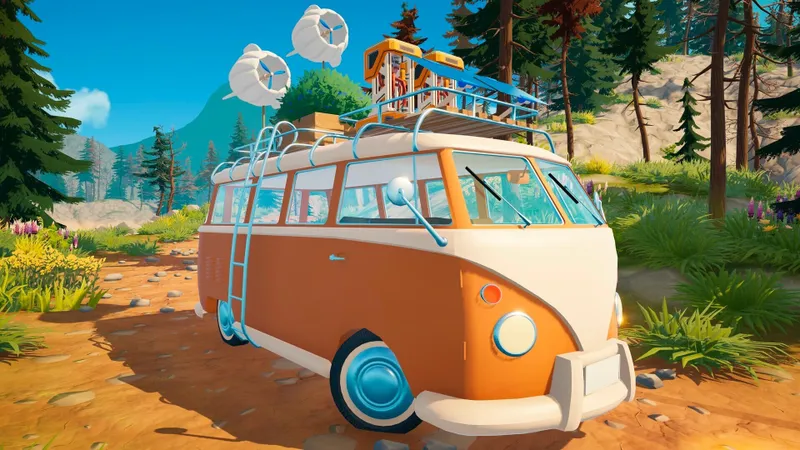
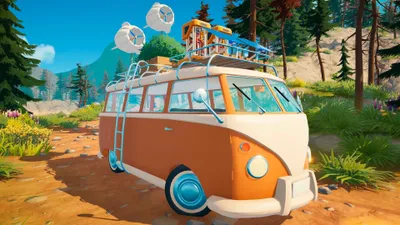
Outbound's multiplayer is designed for cooperation. You'll be able to exchange materials and recipes with your friends. Everyone uses the same van, so perfect coordination is essential. Players can explore together, but can also split up, though it's best not to stray too far from the van in order to move around easily.
Note
Progress is tied to the session host. This means that if you play in a friend's game, you won't be able to continue that progress later when you play in your own game.
Share this article
Which aspect of Outbound's multiplayer appeals to you the most?
Frequently asked questions
How long does it take to unlock multiplayer?
The tutorial required to access multiplayer mode usually takes about 10 minutes. You'll just need to follow a few simple steps like lighting a fire, crafting a wrench, and repairing a barrier.
How do I invite my friends to my game?
Head to the last tab of the main menu (the multiplayer one), then generate a code you can send to your friends. They'll just need to select 'Join Friend' and enter the code to access your game.
What can you share in multiplayer?
You can exchange materials and recipes with your friends. Since you all share the same van, good coordination is essential to progress together.
Is my progress saved if I join a friend?
No, progress is tied to the session host. If you play in a friend's game, your progress will only be saved for that game, not in your own campaign.
Key takeaways
- Multiplayer mode unlocks after 10 minutes of tutorial and repairing a barrier with a wrench
- You share the same van and must cooperate to exchange materials and recipes between players
- Generate an access code so your friends can easily join you from the main menu
- Progress is saved with the session host, not with the invited players
- Players can explore together or split up, but shouldn't stray too far from the van
Comments
No comments yet. Be the first to react!
Leave a comment
Similar guides
Latest articles








Your opinion counts
Rate Outbound
Click a star to rate