



 Alexandre Jollier


Quests
Complete Guide: Exploring and Repairing the Windmill in Outbound
In brief
This guide offers you a detailed method for repairing the Windmill in Outbound by solving its puzzles step by step. From operating the levers to collecting 20 pieces of metal, discover how to get this key building running again and access the secret rooms that depend on it.
In Outbound, the Windmill requires you to perform a few repair operations. This guide offers you a detailed method to solve the Windmill's puzzles and help you get it back up and running.
How to repair the Windmill
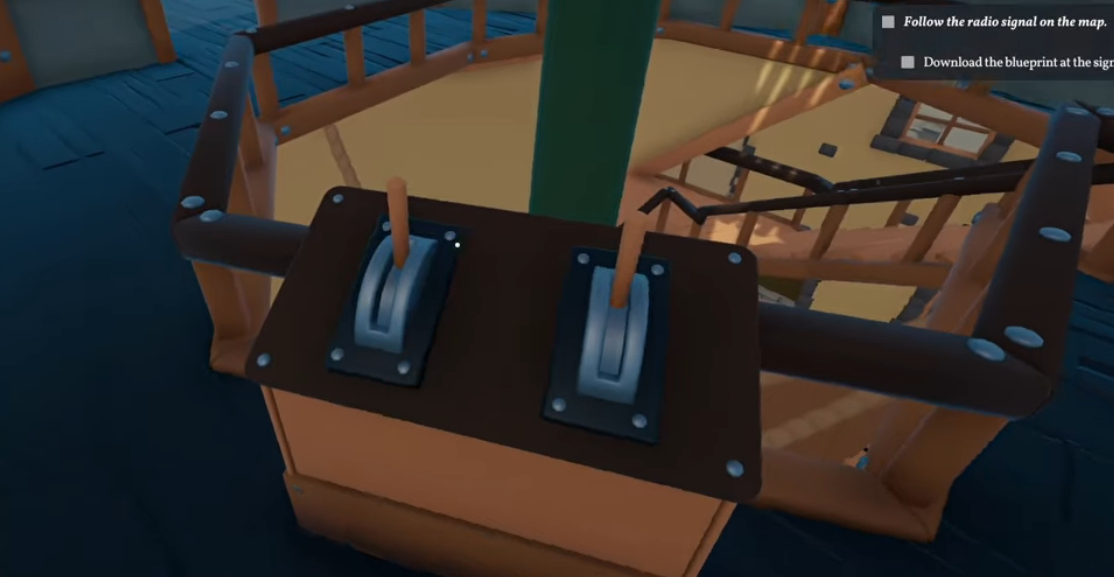
First, head inside the Windmill. Go straight up to the upper floor using the stairs. At the top, you'll find the levers that control the movement of the Windmill's components, and you'll need to handle them with care. Pull the left lever 2 times to adjust the position of the ladders.
Make sure the ladders are properly in place to access the upper levels. Climb up, and once stuck, go back down to the lever level to act on the ladder. Normally, you'll need to push the right lever 2 times, unless it has already been activated beforehand. Then, go back to where you were stuck to head into the repair zone. Look around, spot the wooden crates that will let you jump to reach a switch; activating it will unlock access to a new zone.
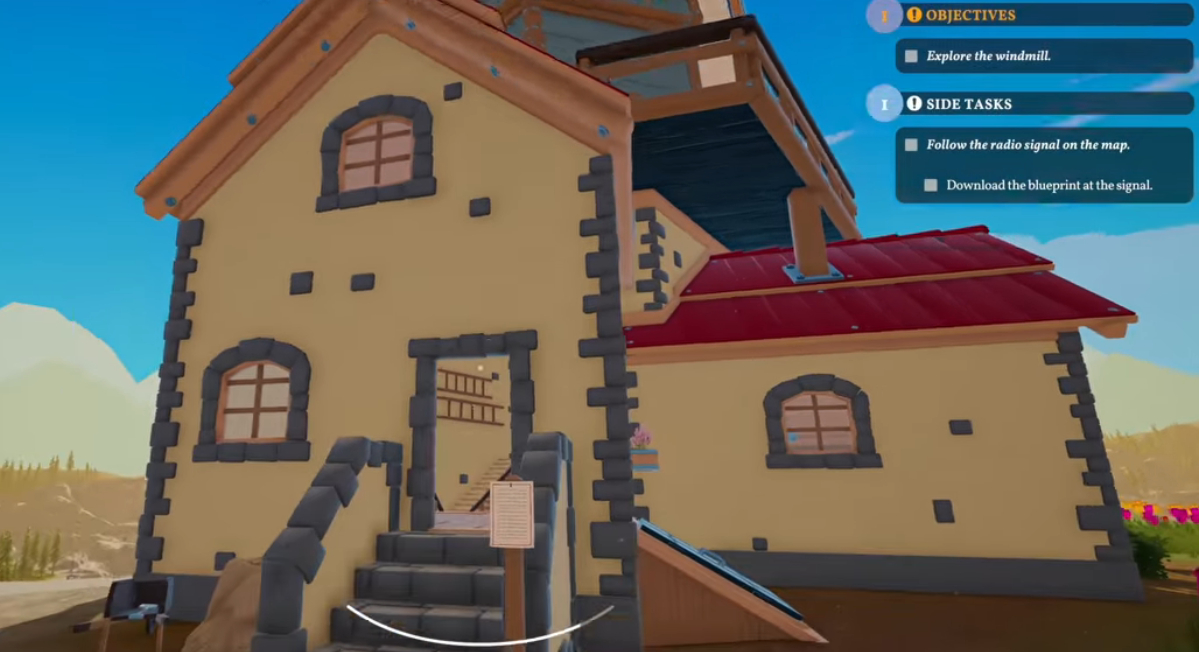
Repairing the gear
To repair the gear, you need to gather 20 pieces of metal. These are often found close to the signal towers.
Tip
Check beforehand that you have room in your inventory to carry the materials!
Head back up with the twenty pieces of metal to the gear and interact with it to repair it. Once that's done, the Windmill starts running. With the Windmill repaired, you now have access to the room that was previously locked. Go back to the room on the lower level, where you'll find a terminal that requires specific items to be unlocked.
Finding the items
To unlock the terminal, you need to gather three key items:
- Signal decoder: look for it outside the Windmill on a shelf.
- Terminal executable: look for it on a box, near the tools located on the upper floor.
- Password database: find it on a shelf in the terminal room.
Once you have all these items in your possession, go back to the terminal. Interact with it to unlock new features. You'll obtain a mortar and pestle crafting recipe, which will let you take up painting to customize your items.
Share this article
Which part of the Windmill guide seems the trickiest to you?
Frequently asked questions
Where can you find the 20 pieces of metal to repair the gear?
The pieces of metal are generally found near the signal towers. Always make sure you have room in your inventory before collecting them.
How do you correctly operate the Windmill's levers?
Pull the left lever 2 times to position the ladders, then push the right lever 2 times (unless it's already been activated). This will let you access the upper levels.
Where are the three items needed to unlock the terminal located?
The Signal Decryptor is on a shelf outside the Windmill, the Terminal Executable on a box near the tools on the upper floor, and the Password Database on a shelf in the terminal room.
What happens once the Windmill is repaired?
As soon as the gear is repaired, the Windmill starts running and you gain access to the room that was previously blocked, where the terminal to unlock is located.
Key takeaways
- Operate the left and right levers (twice each) to position the ladders and progress through the Windmill.
- Collect 20 pieces of metal near the signal towers to repair the gear and start the windmill.
- Use the wooden crates to jump up to the switch and unlock access to new areas.
- Find the three key items (Signal Decryptor, Terminal Executable, Password Database) to unlock the terminal.
- Once the terminal is unlocked, get the mortar and pestle recipe to customize your items.
Comments
No comments yet. Be the first to react!
Leave a comment
Similar guides



Latest articles








Your opinion counts
Rate Outbound
Click a star to rate