



 Fabian Lainé
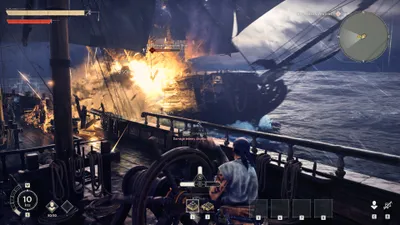

Beginner's Guide
Windrose Co-op: How to Play with Friends, Complete Guide
In brief
Windrose offers a captivating maritime experience in multiplayer with up to 4 players. This guide explains how to invite your friends to join your game via an invite code and how to access other players' adventures in a few simple steps.
In the captivating Windrose, the maritime journey takes on a whole new dimension once you share it: how to invite friends to play in your game, and how to access their adventures, that's what we're going to explore in this guide.
Inviting friends to play Windrose
To start the adventure with others, the first thing to do is invite your friends to play in your game. First check that they are friends with you on Steam, and that you have started a new game as host. You'll start a game of your choice, meaning you'll create a game from an existing save, or by starting a new adventure. Once the choice is made, you get an invitation code.
Invite your friends by sending them the code, which they'll need to enter to join your game. You can also create a custom server name and add a password to make your session more secure.
Note
Windrose's official servers accommodate up to 4 players maximum. If you want to have more friends play, create your own server!
Besides the name and password, you can adjust other server settings to improve your gaming experience.
Joining a friend's game
If you're not the host, joining a friend's game is just as simple, if not simpler. Ask them for the invitation code generated when they created their game. In the main menu, find the option to join a game, and enter the code given. If the server is protected by a password, you'll also need to enter it.
Once the code and password are entered, you're in the world of Windrose, ready to explore the seas with your friends!
Share this article
Which game mode do you prefer for Windrose?
Frequently asked questions
How do I invite my friends to play Windrose?
Make sure your friends are on your Steam friends list, then create a new game as the host. An invite code will be generated that you can share with them so they can join your maritime adventure.
What is the maximum number of players who can play together on Windrose?
Official Windrose servers support up to 4 players maximum. If you want to play with more friends, you'll need to set up your own custom server.
How do I join a friend's game?
Ask your friend for the invite code generated when they created their game, enter it in the main menu under 'join a game', and add the password if the server has one.
Can I add a password to my Windrose game?
Yes, you can create a custom server name and add a password to secure your session and control access to your game.
Key takeaways
- Make sure your friends are online on Steam before inviting them to your Windrose game.
- The invite code system makes it easy to share your game with your friends.
- Official servers support a maximum of 4 players, but you can set up your own server to accommodate more.
- Secure your session by adding a custom server name and a password.
Comments
No comments yet. Be the first to react!
Leave a comment
Similar guides


Latest articles








Your opinion counts
Rate Windrose
Click a star to rate