



 Alexandre Jollier


Where Winds Meet Tip: How to Change the Time of Day
In brief
Where Winds Meet uses a unique time system inspired by ancient Chinese tradition, divided into twelve two-hour periods. Discover how to change the time of day in just a few clicks to access all of the game's quests and puzzles without waiting.
It sometimes happens that certain quests, puzzles or encounters in Where Winds Meet are confined to certain times of day. The game uses a time-measuring system inspired by ancient China and based on lunar phases. Fortunately, you can play around with the game's clock without having to wait! Let's take a look together at how this essential mechanic fits into the game's flow of time.
"For example, some encounters can only be completed during the Zi hour"

Where Winds Meet's Time System
Where Winds Meet draws on the tradition rooted in ancient Chinese culture that divides time into twelve two-hour periods. This time-measuring system shapes gameplay and progression throughout the game.
Each period is thus named using Pinyin: Zi (11pm-1am), Chou (1am-3am), Yin (3am-5am), Mao (5am-7am), Chen (7am-9am), Si (9am-11am), Wu (11am-1pm), Wei (1pm-3pm), Shen (3pm-5pm), You (5pm-7pm), Xu (7pm-9pm) and Hai (9pm-11pm)
For example, certain encounters can only be completed during the Zi hour; the solar puzzle at the Halo Peak Tower only appears during the Wu hour, when the sun is at its zenith; and to complete the quest "The March of the Dead", you need to return during the Mao hour.
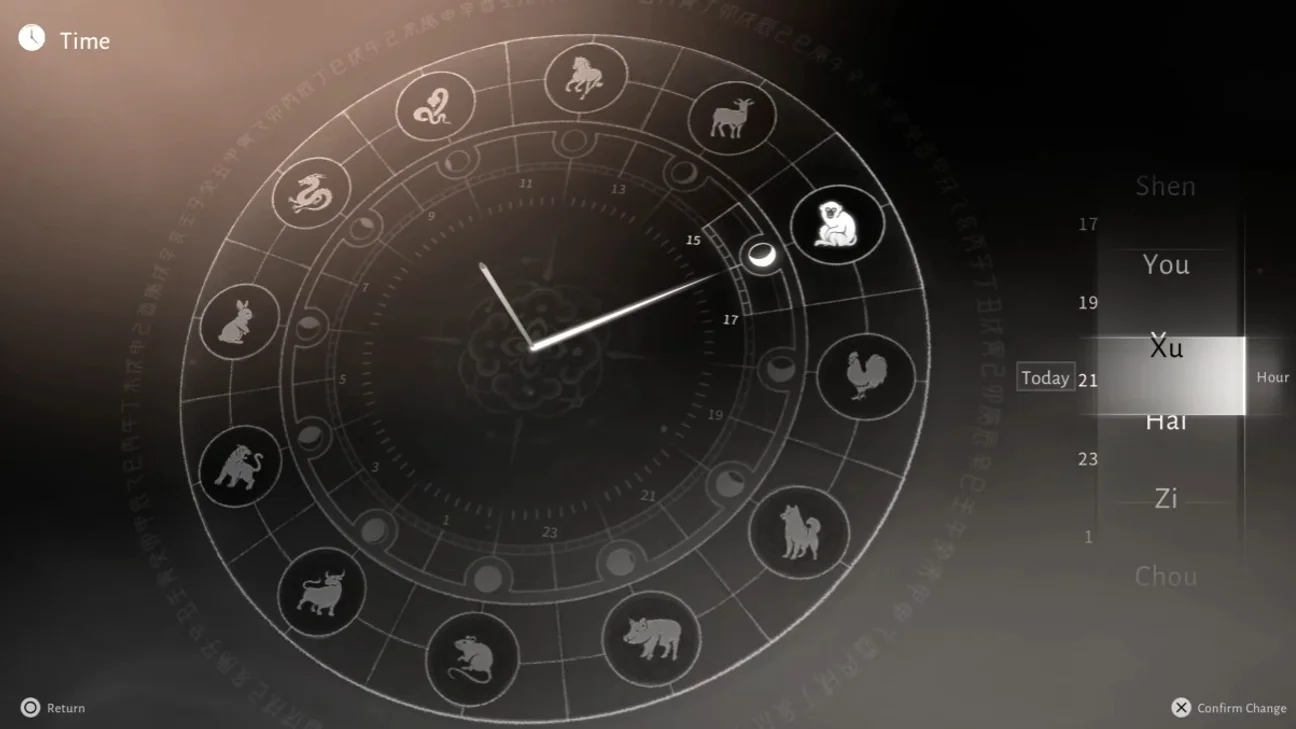
How to Change the Time of Day?
To change the time in Where Winds Meet, simply follow these steps:
- Open the main menu window by pressing ESC (PC) or Start (controller)
- Locate the dropdown list on the right side of the screen
- Look for the clock icon and click on it
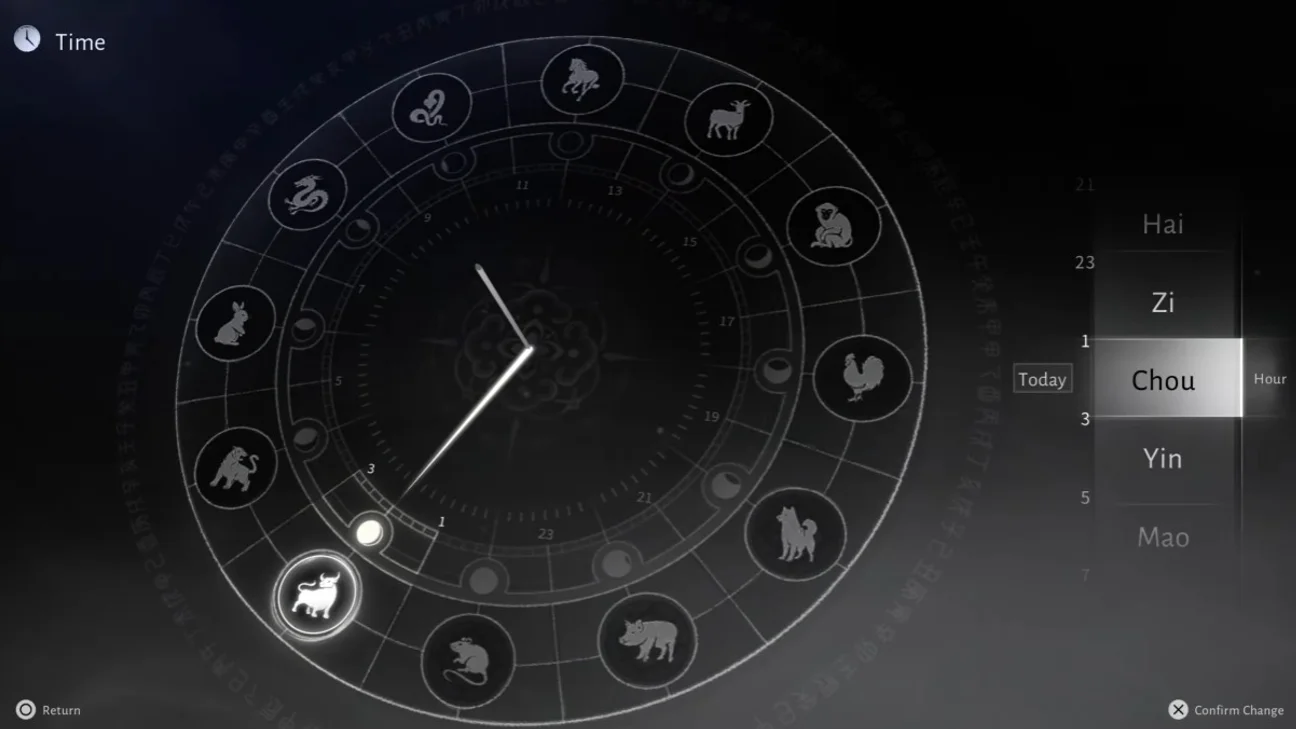
- A large dial will appear in the center of the screen showing the different time periods
- Select the desired time slot by clicking on its Pinyin name
Of course, it should be noted that this function remains limited. First, you can only move time forward; never backward. Once the desired time has been reached, all you can do is wait until the next day. Second, this feature only works in Solo mode. In online co-op, you'll have to adapt your time to match the server's, or set the time before entering co-op mode.
This time-changing mechanic proves very useful for players wanting to complete every activity in the game. Some animals, such as horses, turn out to be more active at certain times of day...
Share this article
Do you find that the game's Chinese time system enriches the gaming experience?
Frequently asked questions
How do I access the time-changing system?
Press ESC (PC) or Start (controller) to open the main menu, then click on the clock icon in the dropdown list on the right side of the screen. A time dial will appear in the center of the screen.
Are some quests really limited to specific hours?
Yes, many quests and puzzles are confined to certain hours. For example, the solar puzzle at the Halo Peak Tower only appears during the Wu hour (11am-1pm) and the quest "The March of the Dead" requires the Mao hour (5am-7am).
Can I go back in time?
No, the function only allows you to move time forward. If you've passed the desired hour, you'll need to wait until the next day to access it again.
Does the time-changing function work in co-op mode?
No, this mechanic only works in Solo mode. In online co-op, you must adapt to the server's time or set the time before entering co-op mode.
Key takeaways
- The game divides the day into twelve periods named in Pinyin, each governing specific quests and encounters.
- You can change the time via the main menu by selecting the desired time slot on an interactive dial.
- The time-changing function only allows you to move time forward, never backward.
- This mechanic only works in Solo mode and does not apply in online co-op.
Comments
No comments yet. Be the first to react!
Leave a comment
Similar guides

Latest articles








Your opinion counts
Rate Where Winds Meet
Click a star to rate