



 Fabian Lainé
Full Guide
Pokémon Pokopia: everything the 2.0 update really changes (abilities, settings, building projects)
In brief
The Pokémon Pokopia 2.0 update isn't just about free diving and Bubbly Springs: it quietly overhauls field abilities, unlocks three critical quality-of-life settings, and adds inventory automation that saves dozens of minutes per session. The real changes lie elsewhere than in the headline announcements.
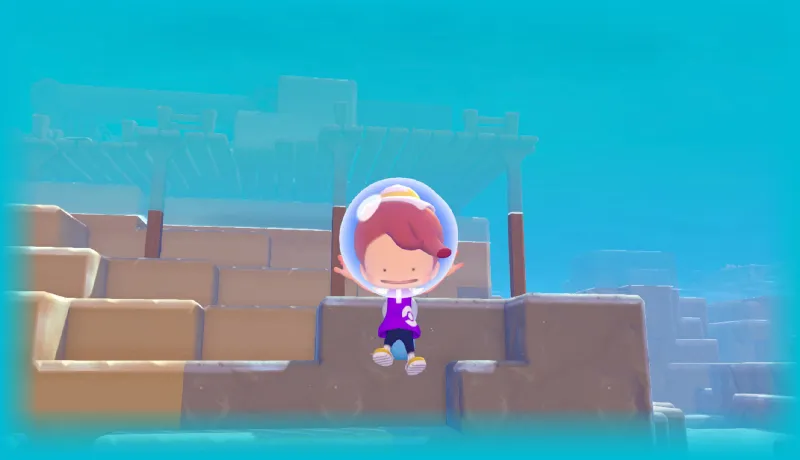
Version 2.0.0 of Pokémon Pokopia arrived on August 5, 2026, alongside Bubblewater Bay. It's been summed up almost everywhere in a single sentence: diving offered to everyone, the underwater town reserved for buyers of the expansion pass. The changelog published by French Nintendo support tells a different story. It counts 77 lines: 14 new features, 35 improvements, and 28 fixes. The overwhelming majority mention neither diving nor paid content.
These are the lines that change day-to-day play for a good chunk of players. Field moves that no longer quite serve the same purpose, three options tucked away in the menus, a handful of inventory automations that save dozens of minutes per session. Here's the breakdown, move by move and setting by setting, along with what you actually need to do in-game.
One thing to keep in mind before booting up your Switch 2: several of these additions are options disabled by default. Until you've turned them on in the menu, you're still playing with July's ergonomics, whether or not the update is installed.
Field moves have been quietly reworked
This is by far the most underrated block of the update. Five moves change behavior, and one of them becomes, quite simply, an eraser.
| Move | What 2.0 adds | What it changes in practice |
|---|---|---|
| Rollout (Golem) | Destroys certain natural elements, including large rocks; you can suck up items and open your bag while rolling | Clearing an area now takes a single pass: you break, collect, and sort without stopping |
| Surf (Lapras) | Can be activated from dry land by holding the orientation-lock button | No more entering the water just to correct your course: you aim from the shore and go |
| Waterfall (Gyarados) | Trigger conditions relaxed, as with Surf | Far fewer failed climbs at the base of a waterfall |
| Strength (Machoke) | Usable underwater | Rocks on the ocean floor move exactly as they do on the surface |
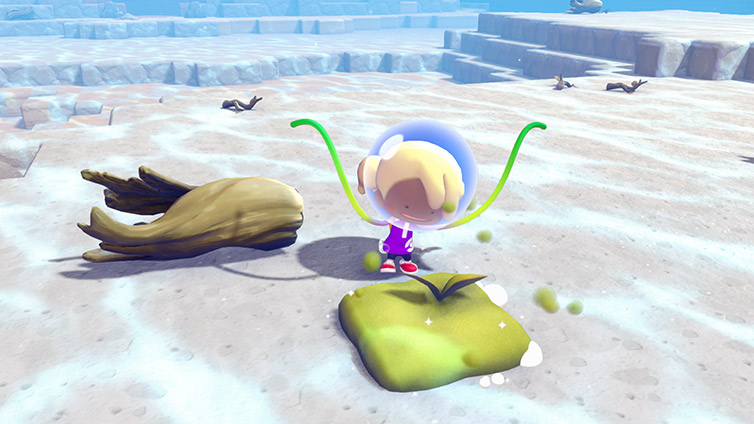
| Vine Whip (Bulbasaur) | Can be used on fertile soil to return it to normal ground | You can finally undo a plot created with Tilling without breaking the block |
That last point deserves a paragraph of its own. Until now, a fertile soil tile placed at a slight angle was a real headache: you had to destroy and then re-place the block, with the height offset that entails when you're trying to lay out a garden in a neat grid. Vine Whip now acts as a clean way to undo Tilling. If you'd given up on aligning your crops, now's the time to get back to it.
Another adjustment that's more subtle but permanently visible on screen: your buddy now follows you during Surf, Glide, Rollout, and Magnet Flight movement. Before 2.0, it would stay rooted in place the moment you switched locomotion modes, forcing you to go back and fetch it. Magnet Flight also gains an option to remove the confirmation prompt when cancelling, and the bug that made Pokémon growl while it was in use has been fixed.
Three settings to turn on before your next session
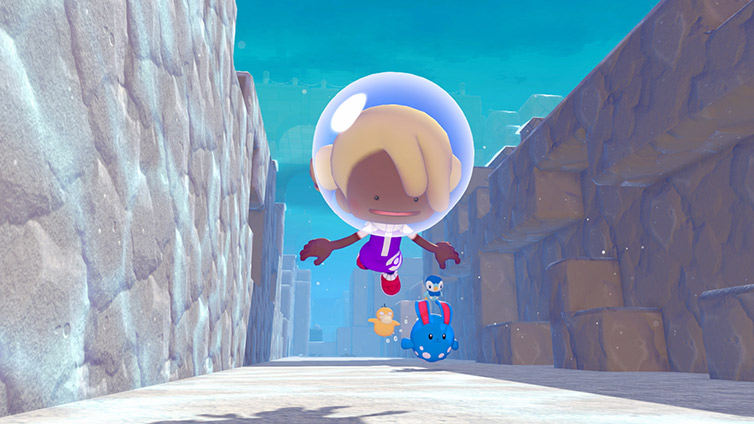
The update adds three options, and none of them are turned on by default.
- Motion sickness reduction for the camera. You can display a marker in the center of the screen (a dot or a cross) and a frame around the edges (parentheses or a rectangle). This is the team's response to feedback from players bothered by the camera in vertical construction, and it becomes downright useful underwater, where visual landmarks are lacking.
- Moving while the ability wheel is open. When enabled, this option removes the most common dead time in the gameplay loop: you keep moving forward while choosing your ability, instead of stopping every time you switch tools.
- The confirmation message for Magnetic Flight. On a build site where you enter and exit levitation ten times a minute, the dialog box cost more than it protected. It can now be disabled.
Storage and crafting: the real time-saver
This is the part of the update that pays off the most, and nobody talks about it because it doesn't show up in any screenshot.
- Bulk transfers between the storage chest and the bag replace the back-and-forth of moving items one by one.
- Materials from the chest placed next to the workbench are consumed before those in the bag. In practice: place a chest against your main workbench, empty your stone, wood, and iron into it, and your crafting will draw from it first. Your bag stays free for gathering.
- Lost item appraisal is now done in batches of 10 with Professor Bouldeneu, instead of a full dialogue for each item.
- Painting, gathering honey, and collecting can now be repeated several times within the same interaction, without restarting the approach animation.
- Items dropped in the trash can and containers of the same type can finally be permanently deleted.
Two caps have also been lifted: the number of placeable energy generators goes from 64 to 128 (fire generators remain excluded from the count), and the number of different photos that can be displayed in a town goes from 10 to 40. If you had hit the electrical limit while wiring up New Town, you now have room to spare again.
Construction sites, roofing, and small building details
On the building side, 2.0 mainly fixes frustrations that have been known since March.
- The recessed depth of windows, doors, and similar elements now adjusts finely to placement.
- During a construction project, Pokémon that don't have the "Construction" role can help out by cooking: no one is left standing around uselessly on site anymore.
- The game now clearly indicates that a building remains renovatable even when items — Ditto's flag, for example — are placed on its roof or walls.
- Certain roofing elements now block water, which finally makes constructions built in the rain or in aquatic environments watertight.
- The crafting yield for curved roof cornices increases to 10 per operation.
- You can now place items on square plants, and trigger Chiming Storm Glass and Chiming Clear Glass with motion detectors and switches — enough to build automated sound installations.
Also worth noting for terrain manipulation: when Ditto sucks up a liquid, briefly pressing the movement button now lets it keep the liquid in its mouth without it disappearing from the environment. And water poured somewhere automatically levels out with the neighboring water, which eliminates unsightly stair-step edges around pools.
Pokédex, Habidex, and navigation between towns
Three changes that save a huge amount of time as soon as you're managing several regions at once.
- A "Together" tab has been added to the Pokédex and the Habidex: the global view, without filtering region by region.
- When a Pokémon you're searching for in the Pokédex is located in another town, the "Return home" option takes you straight there. No more manually going back and forth to check where an assistant lives.
- Ordinary conversation indicators have been shrunk down, so that special exchanges and requests addressed to Métamorph stand out. If you kept missing requests buried among the speech bubbles, that's now fixed.
Item Finder also gets two adjustments: more treasures now appear on the Dream Islands, and treasures on the Floating Islets are no longer flagged when they're located at a spot from which they would fall if the terrain were destroyed — a false positive that used to waste time on every search.
The free cosmetic you can grab today
A detail that slipped past a lot of people: the "Métamorph Galore" pattern can now be obtained by talking to Master Furfrou after graduation. This is stated plainly in the official 2.0 patch notes, alongside the other additions to the base game.
Along the same lines, the "Face Down" and "Let's Go" reactions can be obtained in Grisemer and on the Dream Islands, and five new hair colors join the catalog: orange, pale pink, yellow-green, teal, and brown.
Painting enthusiasts get ten additional targets: elegant stool, wall railing, chain, workbench, drink dispenser, bicycle, bookshelf, Pokémon Center counter, direction sign, and rope. Master Furfrou can also learn patterns from reference photos, opening the door to custom wallpaper without needing a store-bought pattern.
Quest blockers finally fixed
If you'd given up on some progress, check this list before starting a new save. Version 2.0 notably unblocks the "A More Passable Path" quest in Terrassec, where Slowpoke could get stuck halfway through; "Follow Cheffelina!" and "Head to Another Pokémon Center!" on the Floating Islets; and the issue where Métamorph's position would shift when using Rock Smash during a fall.
Three annoying bugs tied to the Dream Islands are also gone: the loading screen that never finished when returning, the return trip that sent you back to New Town instead of the correct destination, and players being teleported to a Dream Island at the end of an online session. Lastly, certain Pokémon — Suicune chief among them — could no longer move across water; others would fall into the ocean or off a cliff when leaving their habitat.
Where to start tonight
The most worthwhile fix takes about fifteen minutes. First, open the settings and turn on movement with the abilities wheel open, as well as removing the Magnet Pull message: these are the two options that pay for themselves in a single session. Then place a storage chest next to your main workbench and transfer your basic materials there in bulk, so you never have to dig through your bag mid-crafting again.
Finally review your misaligned plots with Leafage, and take another look at the areas you'd left fallow: the big rocks that were blocking a path now fall to Rollout, with no need for a detour through another ability. The rest — the painted decor, the photos, the patterns — will wait for the next quiet evening.
Share this article
Which 2.0 change will transform your daily gameplay the most?
Frequently asked questions
Why doesn't my buddy move with me during Surf anymore?
It moves now, that's new in 2.0. Before, it would stay put as soon as you switched movement modes. It now follows during Surf, Glide, Roll, and Magnet Flight.
How do I cleanly undo a misplaced patch of fertile soil?
Use Leafage on the fertile soil to turn it back into normal ground. This is now possible in 2.0, without needing to destroy and replace the block along with the resulting height offset.
Does crafting draw from my bag first or from the storage box?
The storage box takes priority, if you've placed it next to the crafting bench. The 2.0 update makes crafting consume materials from the storage box before those in your bag, freeing up your inventory for gathering.
I'm stuck on power in New Town, is that permanent?
No. The generator cap rises from 64 to 128 in 2.0, giving you more headroom. Fire generators don't count toward the total.
Which settings should I enable first after installing the update?
At minimum, movement with the ability wheel open so you no longer stop every time you switch tools. Add camera motion sickness reduction if vertical building bothers you, especially underwater.
Key takeaways
- Five field abilities change behavior, including Leafage, which becomes the clean way to undo Tilling
- Three options disabled by default transform the gameplay loop: turn them on in the menus before playing again
- Bulk transfers and crafting from the storage box eliminate item-by-item back-and-forth
- Your buddy now follows you during Surf, Glide, Roll, and Magnet Flight instead of standing still
- The power generator cap rises from 64 to 128, freeing up electrical headroom for New Town
Comments
No comments yet. Be the first to react!
Leave a comment
Similar guides


Latest articles







Your opinion counts
Rate Pokémon Pokopia
Click a star to rate