



 Alexandre Jollier
Beginner's Guide
Pokémon Pokopia 3D Printer: How to Get and Use It
In brief
The 3D printer in Pokémon Pokopia is a revolutionary tool that replicates any object from a photo. This guide walks you through unlocking this machine at the Terracotta Pokémon Center and explains how to use it effectively with your Pokémetal Ingots.
The 3D printer in Pokémon Pokopia is an essential tool capable of reproducing any object from a simple photo. This article will explain all the steps to obtain one and make the best use of it.
Accessing the 3D Printer
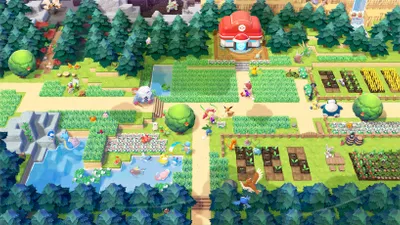
To clear the path to the 3D printer in Pokémon Pokopia, you need to rebuild the Pokémon Center in the Terrassec region. The first task requires you to increase the humidity of the environment in this area. You must soften the ground and free Onix, a key Pokémon for the rest of the operation.
You need to gather items that will improve the environment, and think strategically to increase humidity, notably by watering the plants.
Once Onix is freed, you need to build it a habitat. To do this, craft a construction of the "Smooth Tall Grass" type. Start by finding a strategic spot for the habitat, then use the resources you've collected to build a living space for Onix.
To begin building the Pokémon Center, Onix must have a habitat. Construction also requires waiting for the daily reset time in the game before it can be built; the funds will likely be unlocked by this point. When you enter the Pokémon Center, simply head left to find the room where the 3D printer is located.
What the 3D Printer Is Used For
First, open the camera in the game and switch to Object mode (Y button). Take a photo of the object you want to reproduce, making sure it's not too blurry and is well centered for optimal results.
Before interacting with the printer, you need to have Pokémetal Ingots in your inventory. Here are a few ways to get some:
- Explore the flows to find fragments.
- Melt them down into ingots in the smelting furnace. You can also go buy some in the game's shops.
Then approach the 3D printer at the Pokémon Center, and choose the photo of the object to reproduce. Decide how many copies you want, and the Pokémetal Ingots will be put to use.
Important notes
For certain reproductions, you won't need regular Pokémetal Ingots, but rather rare Pokémetal Ingots, which are harder to craft. So it can sometimes be more worthwhile to buy or find the object in the wild rather than reproduce it. For example, if you want moss, it's better to find it directly in the game than to spend precious resources...
Share this article
Do you plan to use the 3D printer to mass-produce items, or would you rather search for them naturally?
Frequently asked questions
How do you unlock access to the 3D printer?
You need to rebuild the Pokémon Center in the Terracotta region. To do this, first increase humidity by watering the plants, free Onix, build it a "Smooth Tall Grass" habitat, then wait for the daily reset before you can build the Center.
Where exactly is the 3D printer located in the game?
The 3D printer is located inside the Terracotta Pokémon Center. When you enter, simply head to the left to reach the room where it's set up.
What materials do you need to use the 3D printer?
You need Pokémetal Ingots in your inventory. You can get them by exploring the flows to find fragments to smelt in the smelting furnace, or buy them directly from shops in the game.
How do you properly take a photo of an object for replication?
Open the game's camera and switch to Object mode with the Y button. Make sure the photo isn't blurry and that the object is well centered for the best results.
Is it always worthwhile to replicate items with the printer?
Not always. Some items require rare Pokémetal Ingots, which are costly to produce. In those cases, it's often more economical to search for the item directly in the wild rather than spend your precious resources.
Key takeaways
- You must first rebuild the Terracotta Pokémon Center by freeing Onix and creating its habitat.
- The 3D printer is located on the left inside the Pokémon Center, accessible once the structure is built.
- Take photos in Object mode with the game's camera to replicate the desired items.
- Pokémetal Ingots are essential: explore the flows, smelt fragments, or buy them in shops.
- Some items require rare Ingots, so it's sometimes more efficient to find them directly in the wild.
Comments
No comments yet. Be the first to react!
Leave a comment
Similar guides



Latest articles







Your opinion counts
Rate Pokémon Pokopia
Click a star to rate