



 Alexandre Jollier
Quests
Tokyo Tower in Forza Horizon 6: How to Complete This Photo Challenge
In brief
Find out how to complete the Tokyo Tower photo challenge in Forza Horizon 6. This guide explains the exact location of the landmark, the steps to reach the site, and the conditions needed for the game to validate your shot.
The Tokyo Tower photo challenge in Forza Horizon 6 is one of the seasonal challenges that requires you to capture a very specific shot on the map of Japan. Let's find out where Tokyo Tower is located on the map to save you some time.
Exact location of Tokyo Tower on the map
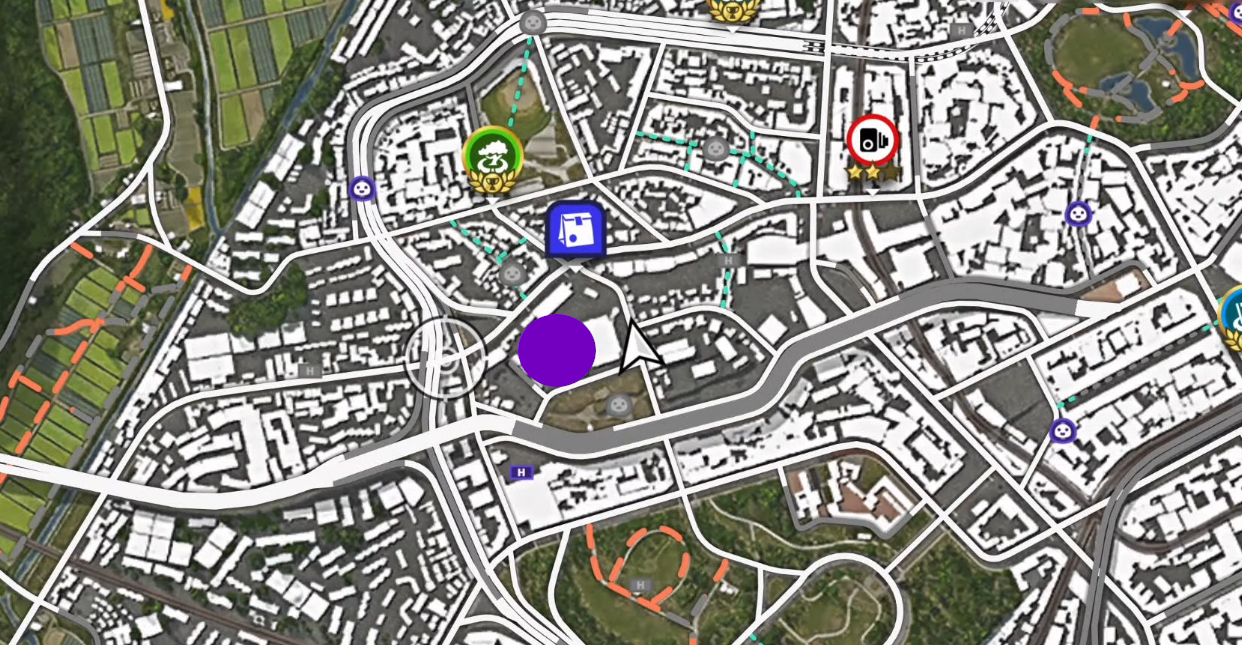
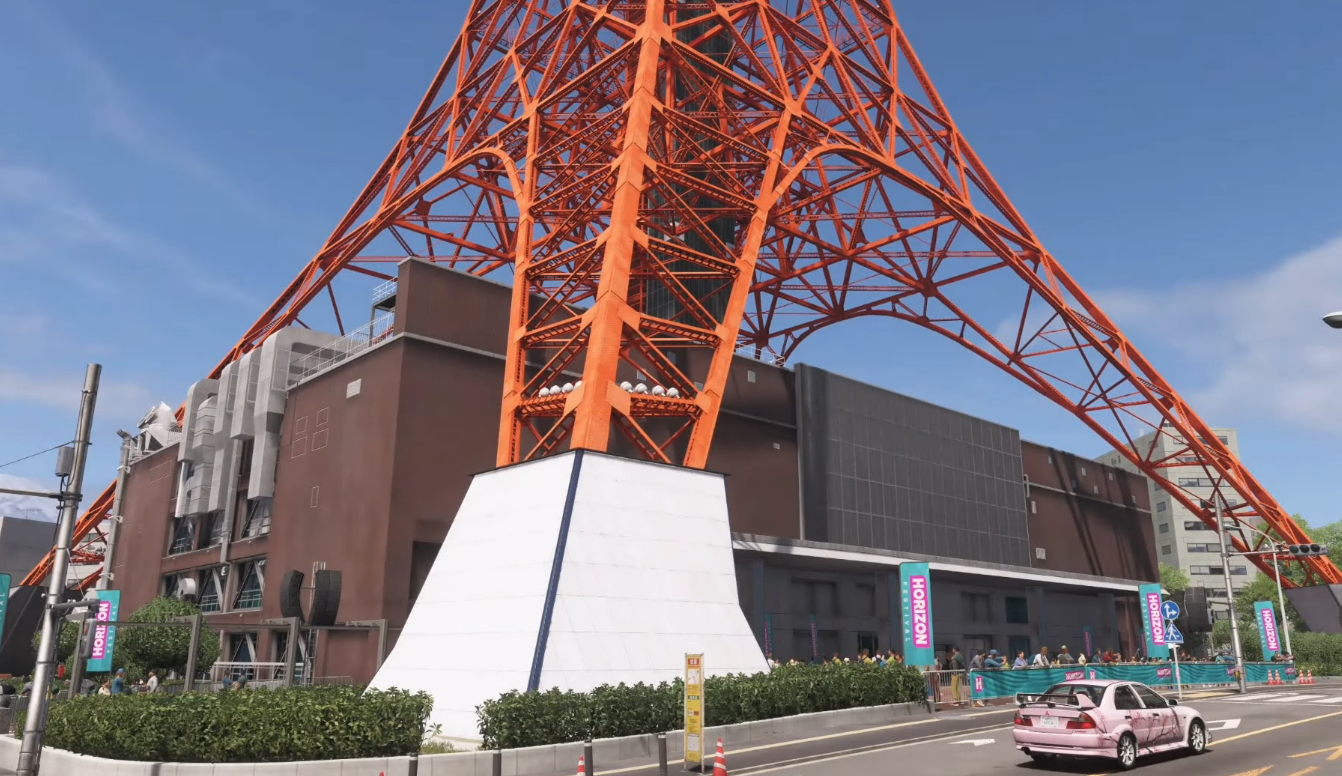
Tokyo Tower in Forza Horizon 6 is an imposing red and white monument in the style of the Eiffel Tower, located right in the heart of the city. To spot it easily, take a look at the map below.
If you've unlocked fast travel, place a marker on the tower's icon or on the intersection right next to the delivery mission, then use fast travel to teleport into the area. Otherwise, set a waypoint on Tokyo Tower and let the GPS guide you. Tokyo City's major avenues let you quickly reach the area, even from the outskirts or the festival.
Once there, head for the big intersection near the Tokyo City delivery mission. The tower will be right on your right when you reach this intersection, towering above the buildings.
Steps to complete the photo challenge
Here's the step-by-step process to follow to make sure you complete the challenge:
- Choose any car. The challenge doesn't restrict the model: you can use your favorite ride, a challenge car, or even a base vehicle.
- Position yourself in front of the tower. Get close to the base of Tokyo Tower until it's clearly visible on screen. You can park directly at the foot of the structure, right by the road. Or stay a bit farther back to better fit the entire tower into the frame.
- Enter Photo Mode. On the controller, press D-Pad Up to activate Photo Mode once you're properly positioned.
- Frame the tower and your car. Angle the camera so that Tokyo Tower is clearly visible in the frame. To be safe, it's recommended to also have your car in the shot, even though some challenges don't explicitly require the car to be visible.
- Make sure the tower takes up enough of the image
A shot that's too distant may sometimes not be recognized by the game. If the challenge doesn't register, zoom in slightly on the tower, or move the car closer, then try again with a framing that shows a good portion of the structure. - Take the photo. Once the framing is correct, press the capture button (the button indicated for taking the photo, often RB for Quickshot in tutorials) to trigger the shot.
- Wait for confirmation. Exit Photo Mode. If everything is correct, a notification should appear confirming that the Tokyo Tower photo challenge is complete and the reward has been unlocked.
Share this article
What's your biggest challenge with photo challenges in Forza Horizon?
Frequently asked questions
Where exactly is Tokyo Tower located on the map?
Tokyo Tower is located in the heart of Tokyo City, an imposing red-and-white landmark that rises above the buildings. It sits near a large intersection adjacent to the Tokyo City delivery mission, right to your right as you arrive at that intersection.
How can I quickly reach Tokyo Tower?
If you've unlocked fast travel, place a marker on the tower's icon or the nearby intersection and use fast travel. Otherwise, set a waypoint on Tokyo Tower and let the GPS guide you. The main avenues allow you to reach it quickly from anywhere.
Which car should I use for this photo challenge?
No restrictions apply: you can use any vehicle, whether it's your favorite ride, a challenge car, or even a basic vehicle.
Why isn't my photo challenge validating despite good framing?
If the game doesn't validate your photo, the shot is likely too far away. Zoom in slightly on the tower or move your car closer, then try again, making sure the tower takes up a good portion of the image and your vehicle is visible within the frame.
Key takeaways
- Tokyo Tower is a red-and-white landmark located in the heart of the city, easy to spot via the map and GPS.
- Use fast travel to quickly teleport near the tower if you have access to this feature.
- Any car can be used for this challenge, with no model restrictions.
- Frame the tower so it takes up a good portion of the image for the game to validate your photo.
- Make sure your vehicle appears within the camera's field of view to maximize your chances of success.
Comments
No comments yet. Be the first to react!
Leave a comment
Similar guides


Latest articles







Your opinion counts
Rate Forza Horizon 6
Click a star to rate