



 Fabian Lainé
Tips
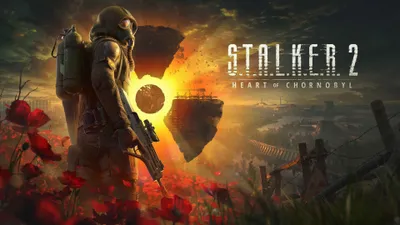
S.T.A.L.K.E.R. 2: preparing for the 2.0 update on August 20 — saves, mods and campaign checkpoint
In brief
On August 20, 2026, S.T.A.L.K.E.R. 2 switches from Unreal Engine 5.1 to 5.5.4 via the free 2.0 update, accompanied by the paid Cost of Hope expansion. Before this major transition, you need to back up your saves, uninstall your mods, and strategically position your progress to fully enjoy the new expansion.
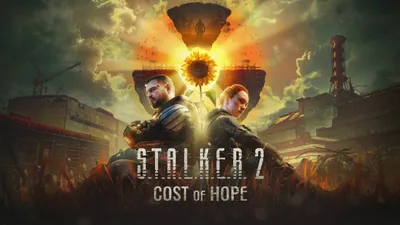
On August 20, 2026, S.T.A.L.K.E.R. 2 receives its 2.0 update — an engine change, from Unreal Engine 5.1 to Unreal Engine 5.5.4 — alongside its first paid expansion, Cost of Hope. The update is free for all owners of the base game, on PC, Xbox Series and PS5.
A change of engine version on a game of this size isn't a patch like any other. Here are the four tasks to tackle in the eight days that remain, starting with the only one that's irreversible.
1. Back up your save files — really
This is the most basic and most overlooked precaution. GSC Game World has not communicated any formal guarantee regarding the compatibility of existing save files after the engine switch. Until the full patch notes are published, assume that your saves may run into problems, and copy them elsewhere.
On PC, the folder is located in %LocalAppData%, with a subfolder per storefront:
- Steam:
C:\Users\<your name>\AppData\Local\Stalker2\Saved\STEAM\SaveGames\Data - Epic Games:
C:\Users\<your name>\AppData\Local\Stalker2\Saved\EOS\ - GOG:
C:\Users\<your name>\AppData\Local\Stalker2\Saved\GOG\
The fastest way: Windows + R, type %LocalAppData%, confirm, then navigate down into Stalker2\Saved. Copy the entire folder to another drive or to the cloud. Five minutes today, versus a lost campaign on the 20th.
On console, cloud saves do the work for you — just make sure they're properly enabled in the system settings.
2. Uninstall your mods before the switch
This is the most important advice in this guide, and it's counterintuitive for anyone who has spent months putting together a stable setup.
A major Unreal Engine version change breaks a large portion of mods, including those that seem to keep working. The dreaded scenario is well known to all modders: the game launches, the playthrough runs fine, and an outdated mod silently corrupts save files for several hours before the problem becomes visible.
The rule to follow: play your first post-2.0 session without any mods. You'll be able to judge the actual performance gains from the new engine — which is precisely the point of the update — without putting weeks of progress at risk.
Good news going forward: 2.0 comes with a move from the Zone Kit's phase 1 to phase 2, which brings audio modding via Wwise, new narrative tools, better compatibility for mods that touch shared systems, and expanded blueprint modification capabilities. Several mod authors are already testing their projects on the preview builds, so the big productions should be updated quickly.
3. Think about where your playthrough will stand on August 20
This is the most strategic question, and it concerns the expansion. Cost of Hope doesn't play like a separate campaign: you once again play as Skif, and the plot opens up inside an ongoing playthrough, triggered by a signal received on the PDA.
Two practical consequences:
- Finishing your campaign this week isn't necessarily a good idea. A completed playthrough might not leave you with the hook you need for the expansion.
- A freshly started playthrough isn't ideal either. The arc revolves around the fragile peace between Duty and Freedom, two factions you won't run into in the early hours.
The reasonable compromise: reach August 20th with an advanced but unfinished save, with the Duty / Freedom question already raised in your playthrough. If you're near the end of the campaign, consider putting the finishing touches on hold for a few days.
4. Plan for the first evening on the new engine
Three things will happen on the first launch after the update, and it's better not to discover them mid-session:
- A shader recompilation. An engine version change invalidates the cache: expect several minutes of waiting at launch, and stuttering during the first half hour of play, while the cache rebuilds. This isn't a performance regression, it's background work.
- A possible reset of graphics settings. Write down your current settings — especially if you've fine-tuned upscaling and frame generation — before installing.
- A sizable download. An engine change affects all of the game's packages: free up space before the 20th.
What 2.0 promises, and what it doesn't
The move to Unreal Engine 5.5.4 targets stability and performance, with headroom expected mainly on PC. The update comes with a broader pass of free improvements, the full details of which won't be published until closer to launch.
That said, keep expectations in check. This isn't an overhaul: it's a genuine narrative release paired with genuine technical work, not a rewrite of the game. The design choices that divided players at launch won't be undone by an engine version bump.
What Cost of Hope contains
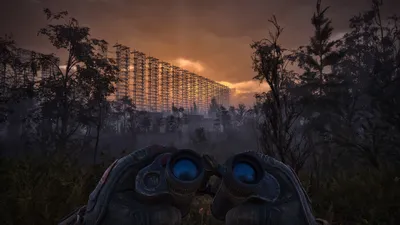
The expansion, described by GSC as "massive and non-linear," reopens two previously inaccessible regions: the Iron Forest, a maze riddled with gravitational anomalies, and the Chornobyl Nuclear Power Plant, the series' most iconic setting.
It's sold separately — Steam had not yet displayed a price for Europe at the time of writing — and releases on August 20, 2026 simultaneously on PC, Xbox Series X|S and PlayStation 5, alongside the free update.
The eight-day checklist
- Today: copy your save folder off the system drive;
- This week: write down your graphics settings, free up disk space;
- Before the 20th: uninstall all mods, without exception;
- The evening of the 19th: leave your playthrough on an advanced but unfinished save;
- On the 20th: launch the game early, let the shaders recompile, and don't reinstall any mods for several days.
Share this article
How are you approaching the August 20 2.0 update?
Frequently asked questions
Will my saves be lost after the 2.0 update?
GSC has given no formal guarantee. As a precaution, copy the Stalker2\Saved folder off your system drive before August 20. Better five minutes of backup than a lost campaign.
Do I really need to uninstall all my mods?
Yes, without exception. A major Unreal Engine version change breaks most mods, and some can silently corrupt your saves for hours before the problem becomes visible. Wait for the authors to update them.
How far into my campaign should I be on August 20?
Ideally an advanced but unfinished save, with the Duty/Freedom tension already established in your playthrough. Fully completing the game or starting too early risks cutting you off from Cost of Hope, which is triggered via a PDA signal.
Why does the game stutter for the first thirty minutes after the update?
Shader cache recompilation happens in the background. This isn't a performance regression: it's normal optimization work. Let it run, and don't judge 2.0 based on those thirty minutes.
Does Cost of Hope release at the same time as the 2.0 update?
Yes, on August 20, 2026, simultaneously on PC, Xbox Series, and PlayStation 5. The expansion is paid and sold separately, unlike the 2.0 update, which is free for everyone.
Key takeaways
- Back up your game files to another drive before August 20 — GSC has given no guarantee of post-migration compatibility.
- Uninstall all your mods without exception, even ones that seem stable: a major engine change silently breaks them and risks corrupting your saves.
- Position yourself on an advanced but unfinished playthrough on August 20 to trigger Cost of Hope at the right point in your campaign.
- Shader recompilation will take several minutes on first launch and will cause stuttering for thirty minutes: this is normal.
- Cost of Hope reopens the Iron Forest and the Chornobyl power plant, two massive, non-linear regions.
Comments
No comments yet. Be the first to react!
Leave a comment
Similar guides

Latest articles






Your opinion counts
Rate S.T.A.L.K.E.R. 2: Heart of Chornobyl
Click a star to rate