



 Fabian Lainé
Tips
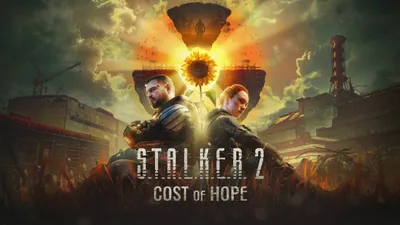
STALKER 2 Patch 2.0.4: Cost of Hope Auto-Save Bug Fix
In brief
S.T.A.L.K.E.R. 2's patch 2.0.4 finally fixes a critical bug: for eight days, autosaves weren't triggering during Cost of Hope missions. Combined with a second bug that could freeze the character after a C4 explosion, this created a formidable trap for players of the expansion. The fixes have been applied, but saves already affected won't automatically recover.
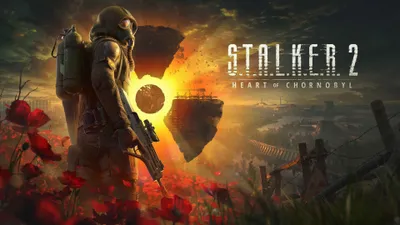
The 2.0.4 patch for S.T.A.L.K.E.R. 2: Heart of Chornobyl landed on Friday, August 28, 2026 at 4:33 PM UTC. Eighteen lines of fixes, including one that reframes the past week: "Fixed an issue where the autosaves could not trigger during the DLC missions."
In the missions of S.T.A.L.K.E.R. 2: Cost of Hope, autosaving simply wasn't triggering. The expansion came out on Thursday, August 20: that means players have been playing without a net for eight days.
What the autosave was supposed to do
GSC Game World documents its system on its support center. Autosaves trigger "at key moments" — specifically: when changing zones, at the start of a cutscene, and just before major story events. That's the exact rhythm of an expansion mission: a Cost of Hope player would hit those three triggers over and over without ever getting a checkpoint.
The same page lays out the numbers. Each campaign slot, and there are three, contains 31 manual saves, 10 autosaves, 3 quicksaves, and 6 mission-specific autosaves. It was the two automatic reserves that ran dry as soon as players entered the DLC; GSC doesn't specify which of the two was affected, its line only mentions "DLC missions."
Worse still, from the same document: "Sometimes manual saving may not be possible, and a prompt will notify you." So there are spots where the game refuses manual saves: there, for eight days, an expansion player had no way to create a checkpoint. The official FAQ adds the final piece: you can leave DLC zones whenever you want, except in the middle of an underground quest.
The C4 trap
The second line seems unrelated, until you connect the dots: "Fixed an issue where a player could lose the ability to move after loading the save made right after the explosion of a C4 device." A save made right after a C4 explosion could, upon reloading, leave Skif permanently unable to move. Not a crash: a save that loads normally, with a character who no longer moves.
Without autosaves, the expansion player was relying solely on manual saves. If they'd made one right after blowing up a C4, they'd put their only safety net in a sack full of holes. This is our reading: GSC lists both fixes in the same patch notes without connecting them.
The rule applies beyond this bug: never let your only save land right after an explosion, a cutscene, or a loading screen. Let the scene settle before saving.
What the patch doesn't promise
GSC writes "Fixed an issue where…": the phrasing describes a flaw that no longer occurs. Nowhere does the studio state that an already-broken save becomes playable again, nor that a playthrough retroactively recovers checkpoints it never received. The eight days that have passed can't be recovered: don't delete anything based on this fix.
One precaution we omitted on August 12, when giving the save folder paths: turn off cloud sync before restoring a backup, otherwise it will be overwritten.
The four quests unlocked by 2.0.4
Note: GSC doesn't say these four missions belong to Cost of Hope. Only the line about the auto-save explicitly mentions the DLC.
- In the heart of the Iron Forest: Mavka could remain present in the Kurin hub after the end of the mission. Worth checking if she's still there even though the quest is closed.
- In memory of the fallen: the most patched-up of the four. Objectives remained active after killing the snorks, and the water level changed unexpectedly.
- The destructive power of the mind: the mission couldn't start under certain conditions. If you've never managed to launch it, try again.
- Gunpowder, sweat, and blood: Zulu was answering with a busy topic instead of the scripted dialogue.
- Outside of quests: the Zalissya bar cutscene could play twice, and Gaffer will finally recognize Skif.
The titles above are GSC's own, lower-case quirks included: the studio publishes its notes in English only, and the Steam page for Cost of Hope lists eight interface languages besides English. So these are the exact strings to search for in a bug report — your own journal may show a translated version of them.
Resuming a save properly
- Read the timestamps in your load menu. An unusual gap between two resume points in the expansion is the eight-day hole, not an oversight.
- Save manually before every mission in the expansion. The manual reserve is the largest of the four, 31 entries per campaign slot.
- Don't rely on the quicksave: three slots, and they get overwritten. F5 to set one, F8 to reload the last one, or Y in the pause menu on controller.
- Keep two save ages, one recent and one noticeably older. And don't overwrite a suspect save before testing it.
- If it's still stuck, mods disabled first, as GSC has been repeating since August 20, then a ticket on support.stalker2.com/hc.
The rest of the patch
Most of the volume is elsewhere: 26 crashes fixed and a pass on lighting, from the CNPP hub to the Xbox Series S "quality" preset. To put the pace into perspective, the three previous patches each fit in a single line: 2.0.1 on Friday, August 21 only fixed textures, 2.0.2 on Sunday, August 23 fixed NPCs and missing bodies, 2.0.3 on Tuesday, August 25 fixed a startup crash. None touched save files. It took four patches and eight days for the hole to be spotted — reason enough to keep saving manually yourself.
Share this article
Did you lose progress because of this autosave bug?
Frequently asked questions
Are my DLC saves permanently lost with 2.0.4?
Yes, the patch fixes the issue going forward but doesn't recover checkpoints missed during the previous eight days. The save gaps in your expansion playthrough remain. Keep all your manual saves intact.
How do I avoid getting stuck after a C4 explosion?
Never save immediately after an explosion, cutscene, or loading screen. Let the scene stabilize for a few seconds before manually creating a checkpoint.
Do I need to completely restart my Cost of Hope playthrough?
Not necessarily, but check the timestamps in your load menu: an abnormal gap between two saves indicates the eight-day void. If you feel like something's missing, a save from before August 20th remains your best safety net.
What exactly is the C4 bug?
If you loaded a save created immediately after detonating a C4, the character would end up frozen with no apparent crash: a save that was openly unplayable. This bug is now fixed.
Key takeaways
- Autosaves were completely disabled in Cost of Hope since August 20th, with no checkpoint for eight days.
- A manual save made right after a C4 explosion could permanently freeze Skif upon reload, creating an unrecoverable save file.
- The patch only fixes future bugs: your old saves missing checkpoints remain orphaned, so don't delete anything.
- Four expansion quests have been unlocked and fixed, including objectives that remained active after completion.
Comments
No comments yet. Be the first to react!
Leave a comment
Similar guides

Latest articles


Your opinion counts
Rate S.T.A.L.K.E.R. 2: Heart of Chornobyl
Click a star to rate