



 Alexandre Jollier
Heartopia Bird Watching: Hobby Guide
In brief
Heartopia offers a captivating pastime: bird watching. This guide shows you how to unlock this virtual ornithology activity, master the bird scanner to photograph species, and optimize your Information Cards to progress quickly in this rewarding pastime.
Heartopia offers multiple hobbies to pursue, and bird watching is certainly the most exciting activity. With this guide, you'll have the keys to learn how to master virtual ornithology in Heartopia.
How do you unlock bird watching in Heartopia?
To access this hobby, you first need to reach Developer level 6 in Heartopia. Once you've reached this stage, a Hobby Unlock Ticket will be sent to you, allowing you to choose a new activity.
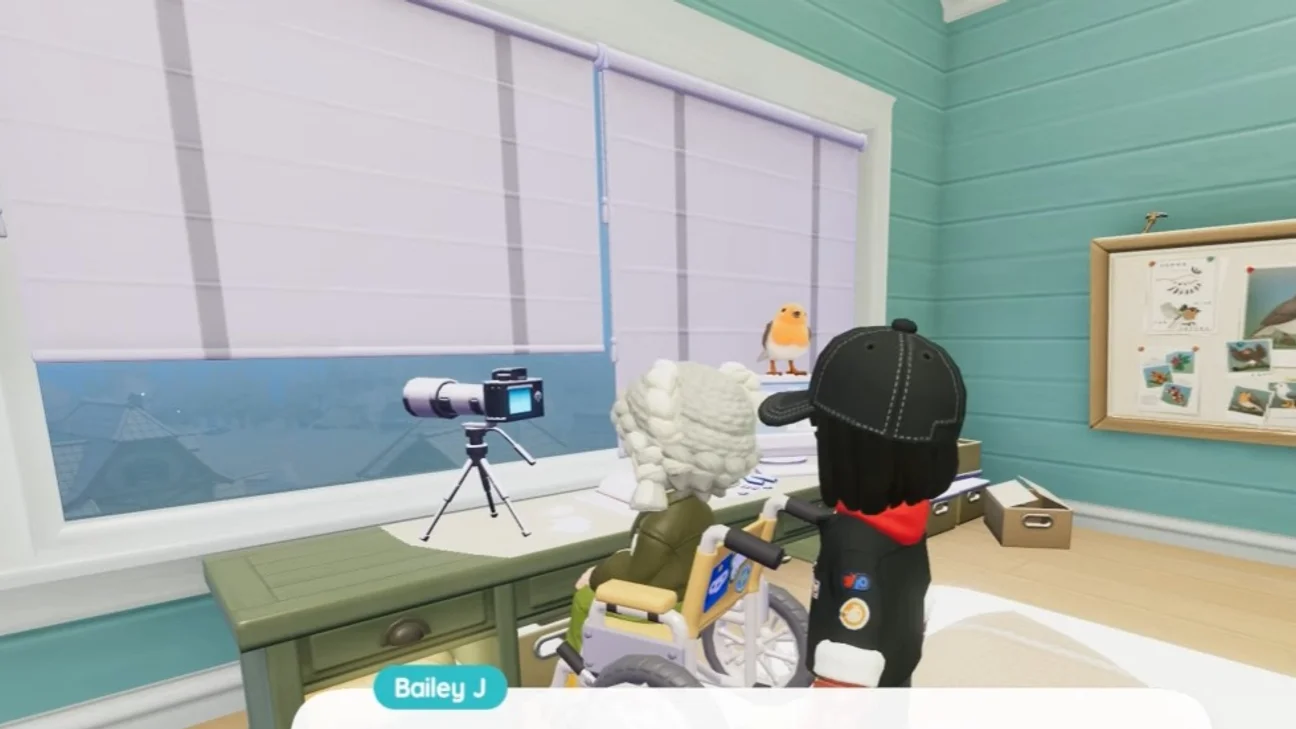
To unlock bird watching, get in touch with Bailey J, the character located at the top of the pet shop in the central area of the plaza. If you can't locate the Bird Watching Station, simply open your map, find Bailey J's character, then follow this character by selecting the “Follow” button.
Keep in mind that you'll have to wait a long time to get a new ticket if you use yours for another hobby (examples: bug catching, cooking...), so choose wisely based on your priorities!
Using the scanning tool for each bird, photography
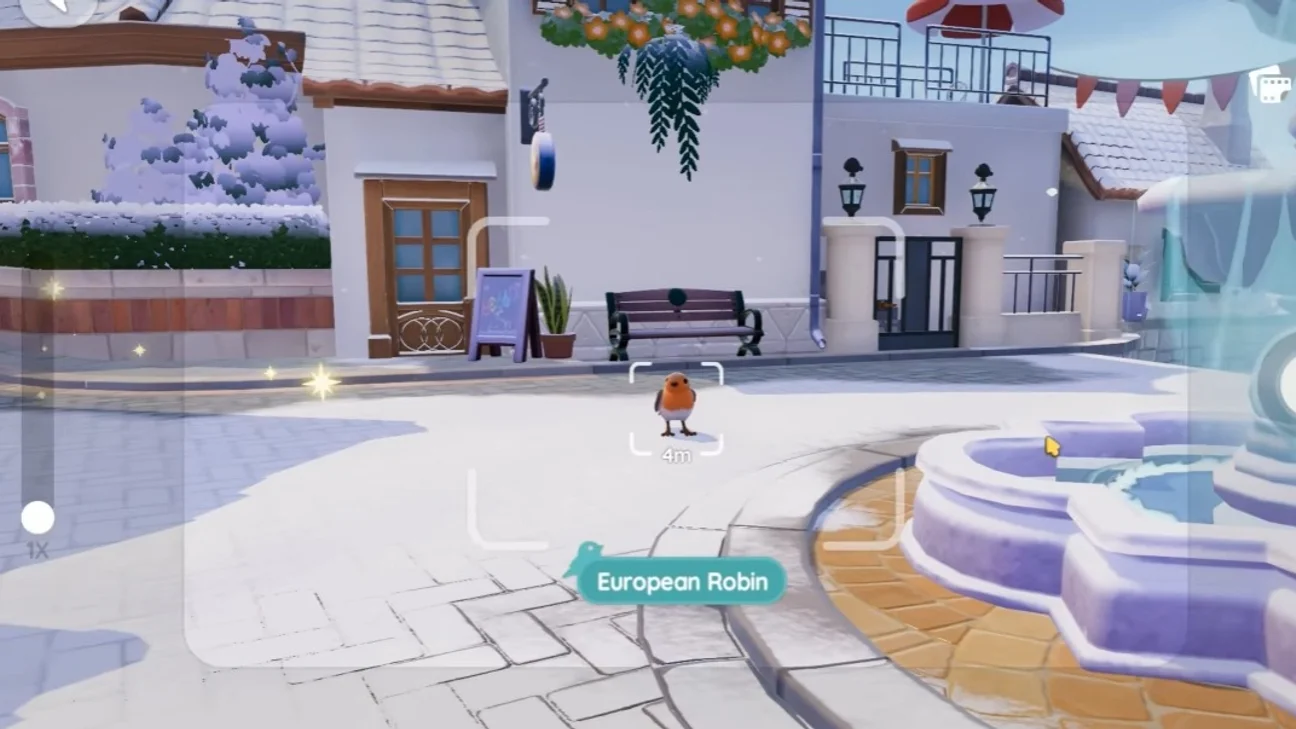
Once the hobby is unlocked, a bird scanner becomes available for observing and photographing birds. You can go to the tools menu in the bottom right corner of the screen to equip it.
When a bird is spotted, use the slider on the left to zoom in and get a closer look at the bird. However, you should avoid getting too close to the birds, as they may fly away if you approach too closely. You start out with two possible actions: Foraging and Chirping. By patiently observing a bird until it makes a particular movement, you'll earn Bonus Stars, which translate into higher-quality Information Cards and more points toward your bird watching skill level.
As you level up your Hobby, you'll unlock new actions that will let you take even more spectacular photos. You can practice scanning birds at the Banding Station, but these observations won't count toward your collection. Skill points are still earned, however.
Tip
When your scanner's durability decreases, you'll need to use a Repair Kit to continue your observations.
What to do with bird Information Cards
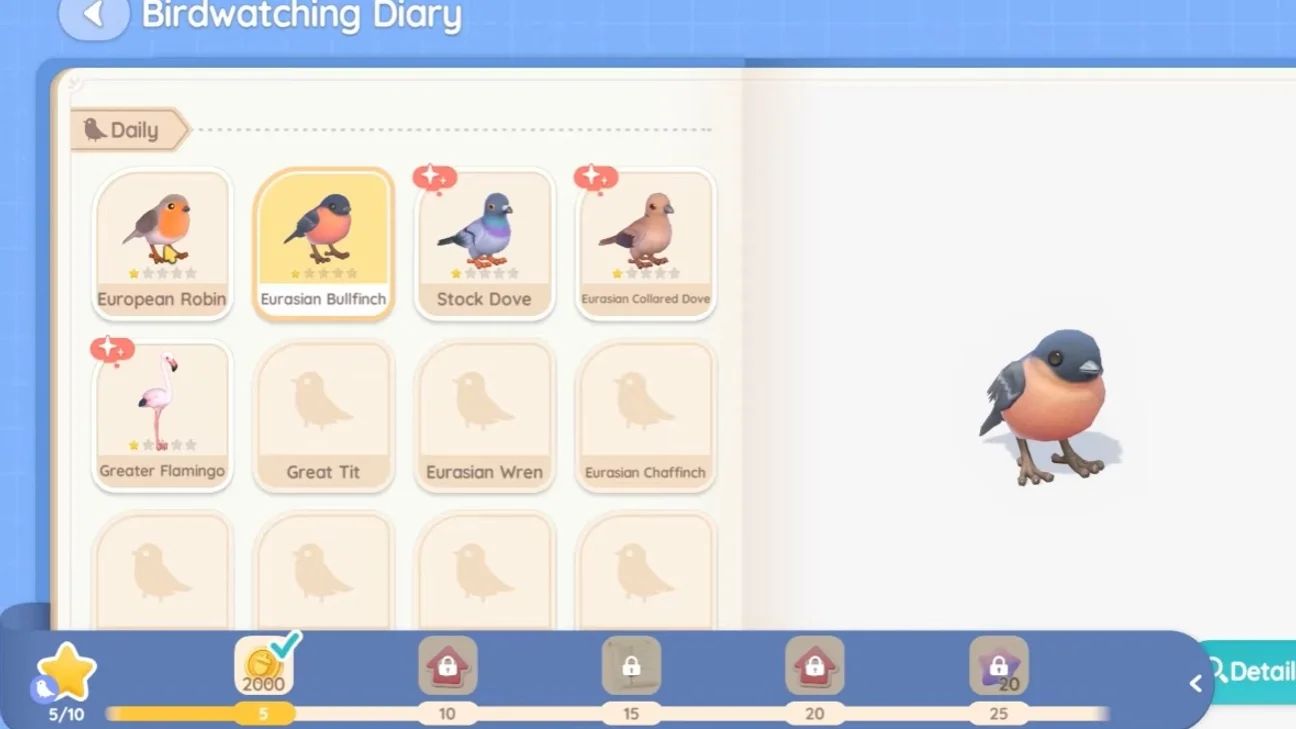
Every time you photograph a bird in Heartopia, you receive an Information Card that accumulates in your inventory. Even though the temptation to sell them immediately to Albert (the gold merchant) is strong, it's really better to hold onto them until you reach level 2 in Bird Watching (which happens after 200 skill points).
Passion Upgrade Tickets are obtained by raising your Guild rank and completing challenges for different passions. You'll then need to use them to advance to level 2 in the Passions menu. At this level 2, not only are new bird species unlocked, but you can also have your Information Cards recycled with Bailey J. Once you've reached this level, you need to talk to Bailey J, who gives you access to the "Submit Information Cards" option.
Note
You can bring him up to five cards per day.
Share this article
Which activity appeals to you most in Heartopia bird watching?
Frequently asked questions
How do you unlock bird watching in Heartopia?
You must first reach Developer level 6 to receive a Pastime Unlock Ticket. Then head to the pet shop in the central area and speak with Bailey J, located on the upper level. If you're having trouble finding him, use the "Follow" function from your map.
What happens if I use my unlock ticket on another pastime?
You'll have to wait a very long time to get another Pastime Unlock Ticket. It's therefore recommended to choose your priority activity wisely based on your goals.
Why should I wait until level 2 before selling my Information Cards?
At level 2 in Bird Watching, you can recycle your cards with Bailey J and unlock new bird species. This makes your cards far more valuable than if you sold them immediately to Albert.
How many Information Cards can I recycle per day?
You can submit up to five Information Cards per day to Bailey J once you gain access to the recycling option at level 2.
Key takeaways
- Unlock bird watching by reaching Developer level 6 and contacting Bailey J at the pet shop in the central plaza.
- Use the bird scanner to zoom in and photograph birds without getting too close, to avoid scaring them away.
- Patiently observe birds until they perform special movements to earn Bonus Stars and improve your skill level.
- Hold onto your Information Cards until you reach level 2 in Bird Watching so you can recycle them with Bailey J and unlock new species.
- Regularly maintain your scanner using Repair Kits so you can keep observing without interruption.
Comments
No comments yet. Be the first to react!
Leave a comment
Similar guides


Latest articles






Your opinion counts
Rate Heartopia
Click a star to rate