



 Alexandre Jollier

Areas
Forza Horizon 6 Fast Travel: Unlocking and Using It
In brief
Fast travel in Forza Horizon 6 lets you instantly teleport to discovered roads across the Japanese territory. This system activates automatically the first time you explore and gradually unlocks as you travel across the map.
In Forza Horizon 6, the fast travel system proves to be a valuable ally for players wanting to explore the vast Japanese territory without wasting time. Let's see how to make the most of it!
How fast travel works
Fast travel in Forza Horizon 6 is based on the principle of road discovery. Every time you take a road, it automatically unlocks for future fast travel. In other words: the more you explore, the easier it becomes to move quickly across the map.
How to use fast travel
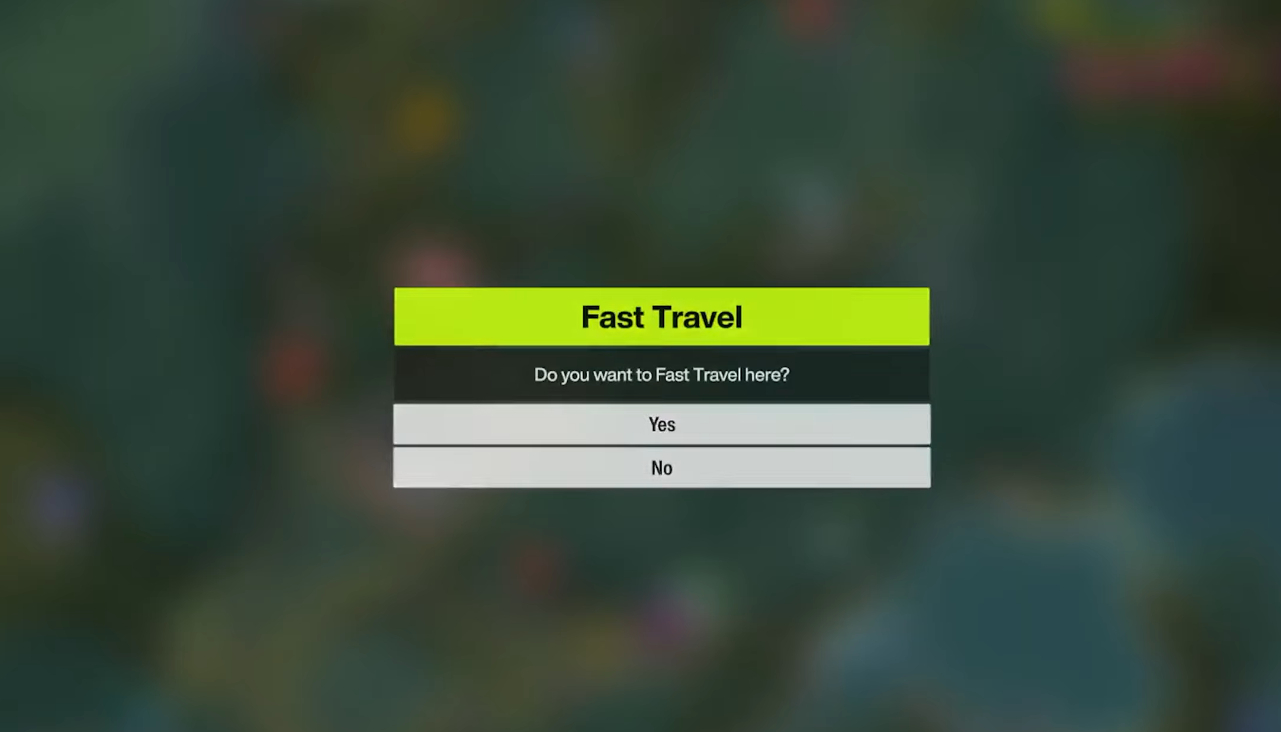
To use this feature, simply pause the game and open the map. When hovering over a road or location you've already visited, a confirmation message appears in the bottom left of the screen when the point is valid. By confirming the action, your vehicle is instantly teleported to the chosen point. In short, roads already explored appear in white or orange, while those yet to be explored are shown in gray and cannot be selected.
How to unlock more fast travel points
Fast travel becomes automatically available as soon as you activate free roam mode. However, the number of possible teleportation points is proportional to how much of the map you have explored.
To unlock more fast travel points in Forza Horizon 6, start by going back over the long highway sections that are open from the very first moments of the game; this allows you to open up the major roads across Japan.
Tip
By zooming in on the map while driving, you can find hidden roads you might have missed.
Share this article
What's your favorite strategy for exploring and unlocking roads in Forza Horizon 6?
Frequently asked questions
How do you unlock fast travel in Forza Horizon 6?
Fast travel activates automatically as soon as you launch free roam mode. It gradually unlocks each time you drive on a new road, so there's no specific action required to unlock it.
Which roads can be used for fast travel?
Only the roads you've already explored and driven on can be used for fast travel. They appear in white or orange on the map, while grey roads have not yet been discovered.
How do you increase the number of available fast travel points?
Explore more of the map, especially the long highway sections that unlock major roads across Japan. Use the map zoom to discover hidden roads you might have missed.
What is the exact process for using fast travel?
Pause the game, open the map, and hover over a road or location you've already visited. A confirmation message appears in the bottom left corner of the screen if the point is valid. Confirm the action to be instantly teleported to the chosen point.
Key takeaways
- Every road you drive on is automatically unlocked for later fast travel
- Access fast travel via the pause menu and the map by hovering over a valid point
- Explored roads appear in white or orange, while grey areas remain inaccessible
- Explore long highway sections to unlock major roads across Japan
- Zoom in on the map while driving to discover hidden roads and increase your teleportation points
Comments
No comments yet. Be the first to react!
Leave a comment
Similar guides





Latest articles







Your opinion counts
Rate Forza Horizon 6
Click a star to rate