



 Alexandre Jollier


Disney Dreamlight Valley Puppy Love Quest: Quest Guide
In brief
This comprehensive guide walks you through the Puppy Love quest in Disney Dreamlight Valley, which tells the love story between Lady and Tramp. From unlocking the realm to preparing the romantic date to infiltrating the pound, discover all the details you need to complete this touching quest.
The brand new quest named Puppy Love in Disney Dreamlight Valley immerses us in a beautiful love story between Tramp and Lady. This guide will walk you through every step of this quest.
"In this new area, you finally get to meet Lady"
Unlocking Lady and Tramp's realm
To start the Puppy Love quest, it will be essential to unlock Lady and Tramp's realm from the castle by spending 13,000 Dreamlight. After collecting enough Dreamlight, head to the castle to access the realm. You find yourself in a small alley where you meet Tramp who, at first, isn't necessarily thrilled to see you.
When you talk to Tramp for the first time, he doesn't react. To move forward, you need to convince him to trust you. To do this, you must gather materials in the alley and in the nearby trash cans.

Creating the outfit
In the alley, retrieve the items hidden behind boxes and in the trash cans. Here are the items to collect:
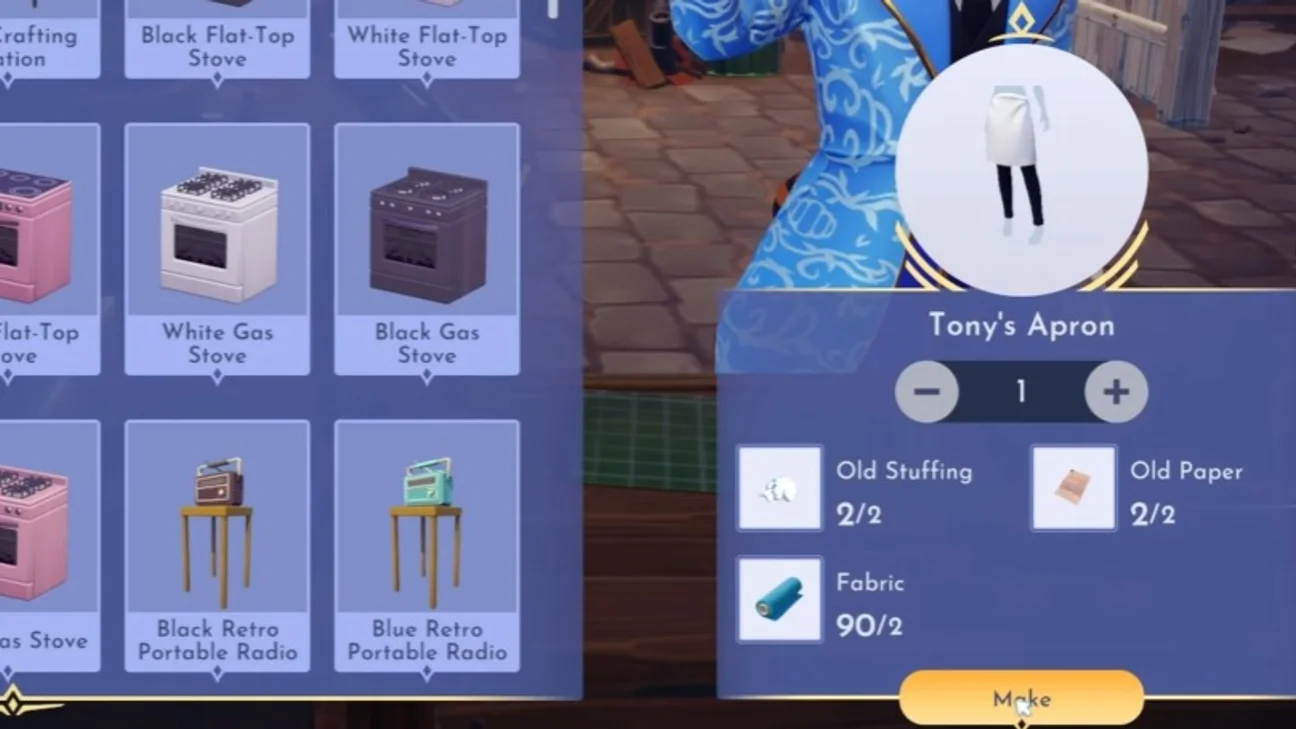
- Fabric x4
- Old paper x4
- Old stuffing x4
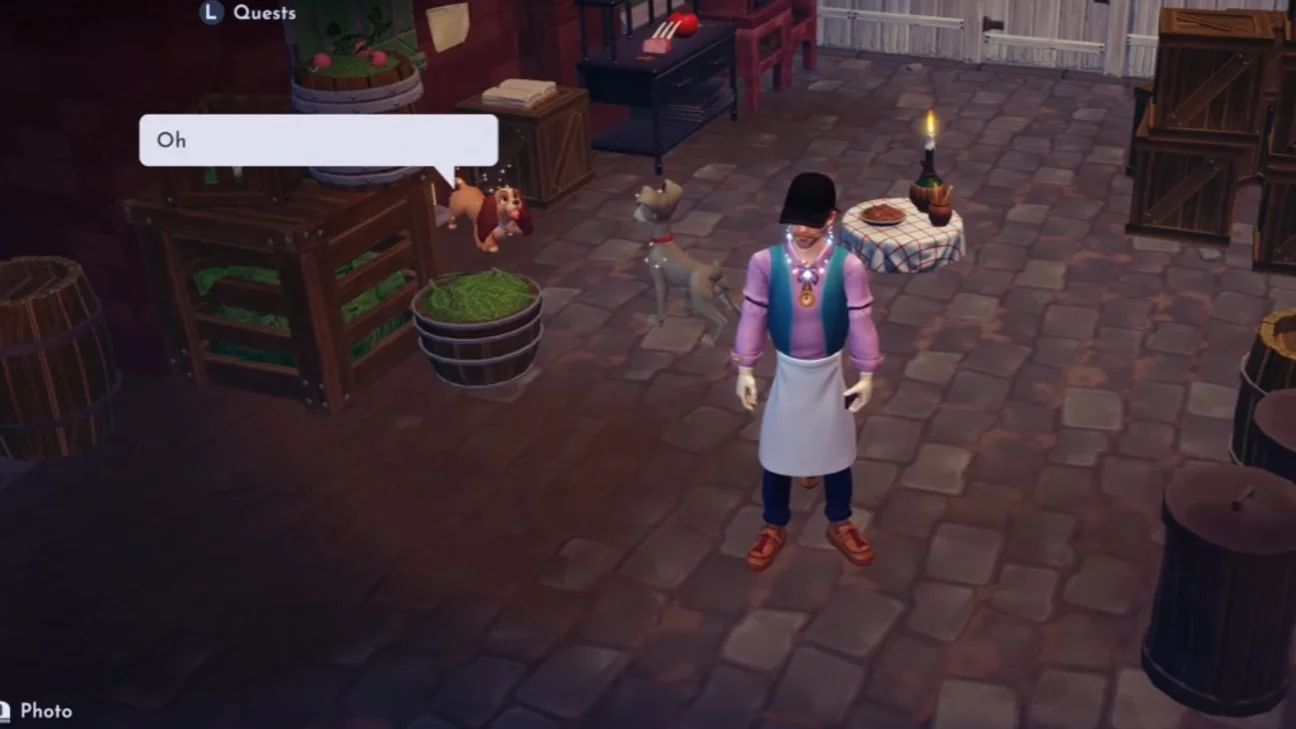
To progress in the quest, you need to craft Tony's Apron and Tony's Shirt. These clothes are required to earn Tramp's trust. Go to the crafting station and use the collected materials to create the clothes, then wear them to capture Tramp's attention. Once back in costume, talk to Tramp again. He will be receptive this time, and will ask you to help him recreate his first date with Lady. Follow him to a corner behind Tony's restaurant.
Meeting Lady
In this new area, you finally get to meet Lady. Start a conversation with her to learn more about her tastes and preferences. Nearby is a book containing the recipe for Spaghetti especialle. To cook the Spaghetti especialle, you need the following ingredients:
- Fresh basil
- Roasted mushrooms
- Wheat
- Tomato
- Hearty meat
Once you have all these ingredients, you will be ready to cook.
Setting the table and end of the quest
Before starting to cook, it's important to set the table for the date. Here are the steps to follow:
- Go to the clothesline, take the red and white tablecloth, then don't forget the romantic candles.
- Once all these items are gathered, arrange them on the table.
After setting your table, you witness a touching moment between Lady and Tramp, but this moment of happiness won't last... Lady gets kidnapped!
Following this incident, Tramp guides you to the dog pound. You'll need to be careful to avoid lit areas and disable the alarms, moving discreetly to avoid being spotted. Once at the back, pull the lever to turn off the lights.
After successfully disabling the alarms, Tramp lets you know he's waiting outside. You'll then need to push the ladder to the side and climb through the window to conclude this Puppy Love quest in Disney Dreamlight Valley.
Share this article
Which part of the Puppy Love quest appeals to you the most?
Frequently asked questions
How much Dreamlight is needed to unlock Lady and Tramp's realm?
You need to spend 13,000 Dreamlight at the castle to access Lady and Tramp's realm and start the quest.
What materials do you need to collect to create Tony's costumes?
You need to gather 4 fabric, 4 old paper, and 4 old stuffing, which you'll find in the alley, behind boxes, and in trash cans.
What ingredients are needed to cook the Spaghetti especialle?
The required ingredients are: fresh basil, roasted mushrooms, wheat, tomato, and hearty meat. You'll find the recipe in a book near Lady.
How do I infiltrate the pound without being spotted?
You need to move discreetly while avoiding lit areas, disable the alarms by pulling the lever to turn off the lights, then push the ladder and climb through the window.
Key takeaways
- Spend 13,000 Dreamlight to unlock Lady and Tramp's realm at the castle.
- Collect fabric, old paper, and old stuffing to craft Tony's costumes and earn Tramp's trust.
- Cook the Spaghetti especialle with the specific ingredients to prepare the romantic date.
- Set the table with the red and white tablecloth and romantic candles.
- Sneak into the pound by disabling the alarms and avoiding lit areas to save Lady.
Comments
No comments yet. Be the first to react!
Leave a comment
Similar guides




Latest articles







Your opinion counts
Rate Disney Dreamlight Valley
Click a star to rate