



 Alexandre Jollier
Beginner's Guide
Beast of Reincarnation: how to claim your pre-order bonuses
In brief
Your pre-order and deluxe edition bonuses don't activate automatically at the launch of Beast of Reincarnation. You need to complete the prologue, defeat the boss Nuishi, then interact with the bed at Cleane Walker to unlock the Special Content menu and claim your exclusive cosmetics. The bonus Amber, on the other hand, becomes usable as soon as you reach the first campfire, with no extra action required.
Did you pre-order Beast of Reincarnation or splurge on the deluxe edition? Good news: your bonuses don't activate on their own at launch. The game throws you straight into the prologue, on a chaotic battlefield, and you need to clear a first milestone before you can get your hands on them.
Nothing complicated, but if you skip this step, you risk struggling without your starting stock of Amber or missing out on the exclusive skins for several hours of gameplay.
Unlocking the bonus menu
Everything happens right after the prologue. Here's the process, in order:
- Finish the opening sequence on the battlefield.
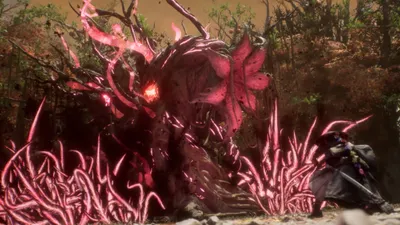
- Defeat the boss Nuishi, the big monster that closes out this phase.
- Let Emma and Koo head back to Cleane Walker.
- Once there, ignore the other available mechanics and go straight to interact with the bed.
- A menu called "Special Content" will open: that's where your exclusive cosmetics for Emma and Koo are located.
Simple, but the bed step is easy to miss if you rush to test the Walker's other systems first. A tip: do it before any other distraction, so you don't forget.
What about the bonus Amber?
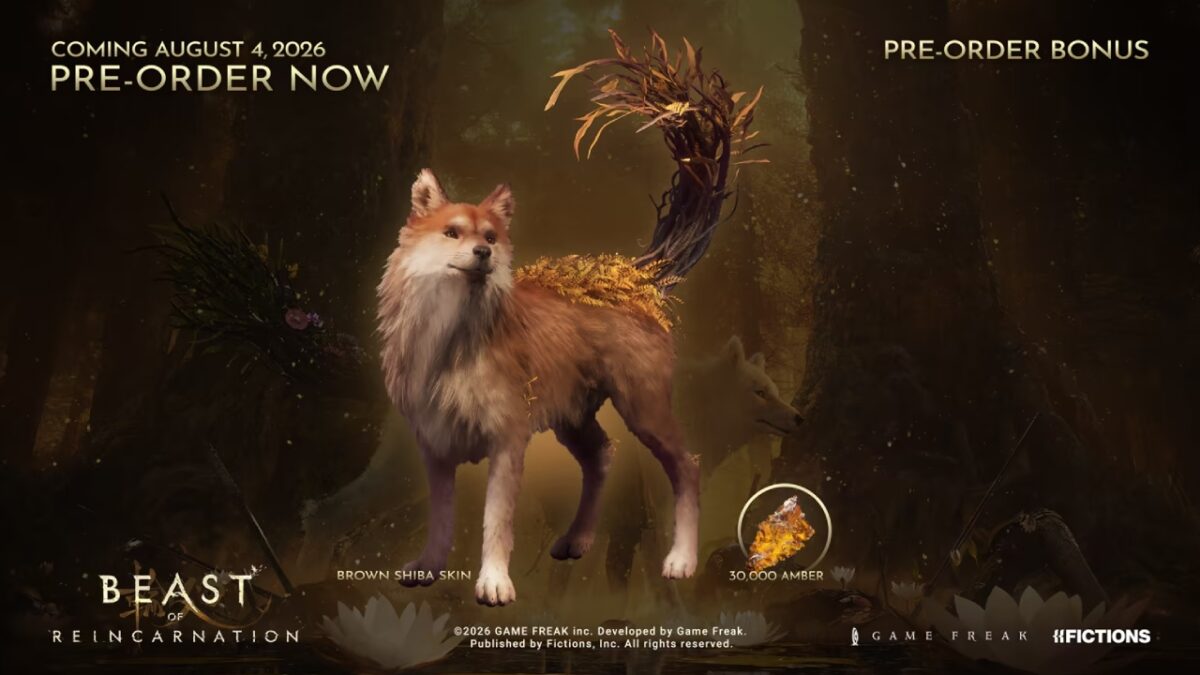
Unlike the cosmetics, the Amber granted with the pre-order or the deluxe edition doesn't go through this menu. It becomes usable automatically right after the battlefield section, as soon as you interact with the game's first campfire. No need to go fetch it manually, it's already added to your total.
Pre-order content
- 30,000 Amber
- Brown Shiba skin for Koo
Deluxe edition content
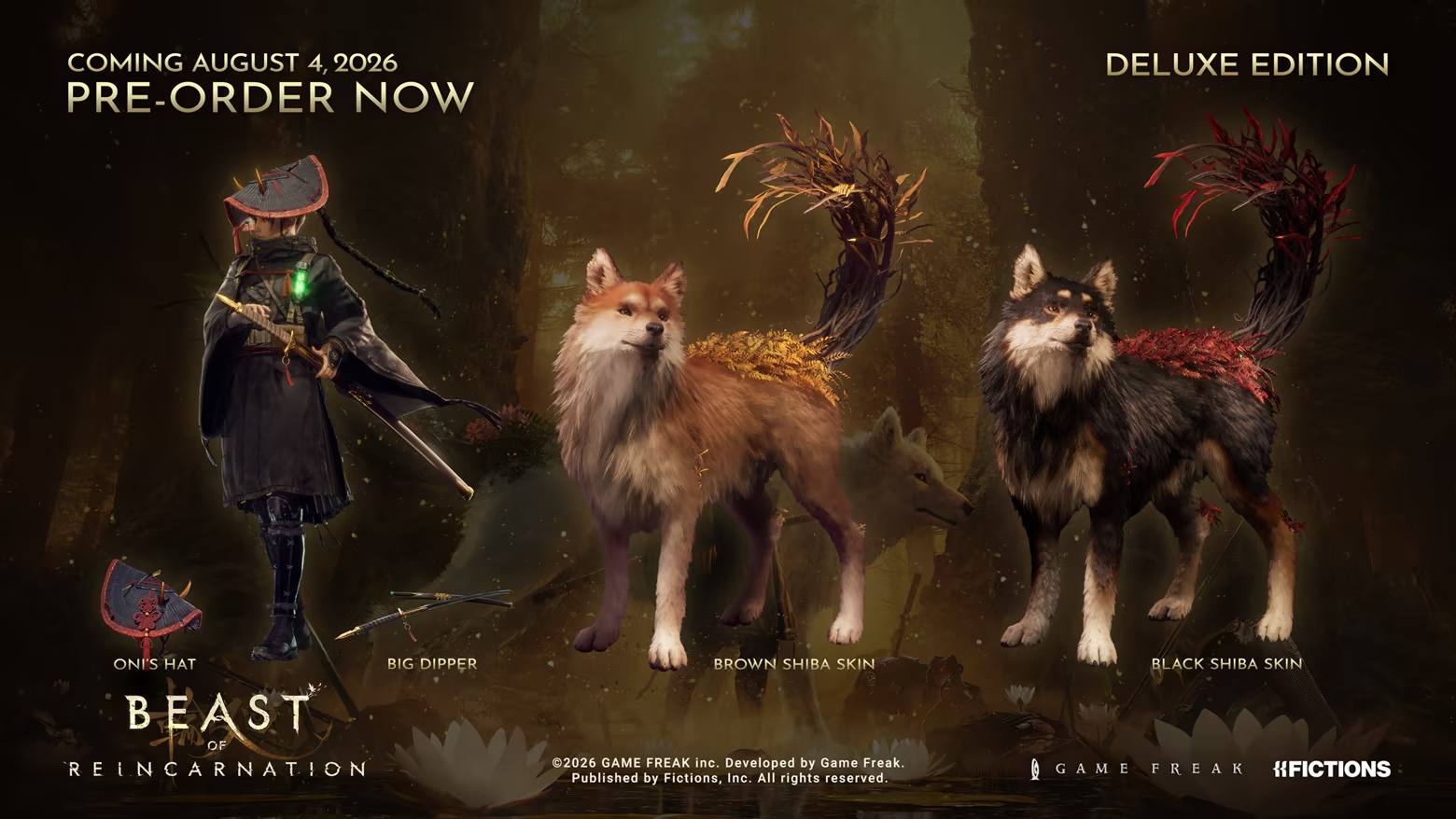
- "Big Dipper" sword for Emma
- Black Shiba skin for Koo
- Brown Shiba skin for Koo
- Oni hat for Emma
- Vegetable Seedlings, a mechanic that only unlocks later in the adventure
Note
The brown Shiba skin for Koo appears on both lists: if you pre-ordered and got the deluxe edition, you'll only receive it once, obviously. The bulk of the deluxe loot remains Emma's weapon and Koo's second skin, which clearly change the look of your duo from the very first hours.
For the game's release and platform availability info, head over to our dedicated article on Beast of Reincarnation's release date.
Share this article
Will you head straight to the bed for your bonuses or take your time exploring the Walker first?
Frequently asked questions
Exactly when can I claim my pre-order bonuses?
After defeating the boss Nuishi and returning to Cleane Walker with Emma and Koo. Go straight to interact with the bed to open the Special Content menu where your cosmetics are located.
Does the pre-order Amber get added automatically or do I need to unlock it?
It's added automatically to your total as soon as you interact with the game's first campfire, right after the battlefield. Zero extra action required.
I can't see the Special Content menu, what should I do?
Make sure you've properly completed the prologue sequence, defeated Nuishi, and then returned to Cleane Walker. The menu only appears once you interact with the bed after that progression.
If I bought the deluxe edition and pre-ordered, will I receive the brown Shiba skins twice?
No, the brown Shiba skin for Koo only appears once since it's listed in both bundles. You'll still receive all the other bonuses normally.
What is the Vegetable Seedlings mechanic included in the deluxe edition?
It's a full mechanic that only unlocks later in the adventure in normal play, but you'll have immediate access to it with the deluxe edition.
Key takeaways
- Complete the prologue and beat Nuishi before you can access your cosmetic bonuses
- The bed step at Cleane Walker is easy to miss, do it before exploring other Walker mechanics
- The bonus Amber activates automatically at the first campfire, no need to look for it manually
- The deluxe edition offers the Big Dipper sword for Emma and exclusive Shiba skins, far more impactful than the pre-order alone
Comments
No comments yet. Be the first to react!
Leave a comment
Similar guides


Latest articles







Your opinion counts
Rate Beast of Reincarnation
Click a star to rate