



 Fabian Lainé
Full Guide
Baldur's Gate 3: the complete guide to mods in 2026 — installation on PC and consoles, rules and selection
In brief
Baldur's Gate 3 hit one billion mod downloads in August 2026, with two distinct pathways: the official built-in manager (PC, Mac, PS5, Xbox) and Nexus Mods (PC only). This guide explains how to install mods properly on each platform, the constraints around cross-play and save files, and offers a selection of must-have mods to jump back into the adventure.
Almost exactly three years after its PC release on August 3, 2023, Baldur's Gate 3 has just crossed a milestone that only true modding monuments know: over one billion mods downloaded. In detail, Larian Studios claims more than 500 million downloads via the in-game mod manager, plus more than 509 million counted on Nexus Mods. Swen Vincke, the studio's boss, celebrated the total with a laconic "One billion!" on X in early August 2026.
This figure isn't just a PR trophy: since Patch 8 in April 2025, the last content update, Larian hasn't added anything else to the game and is now working on its next Divinity title. Mods have therefore become the real driving force behind Baldur's Gate 3's replayability, on PC as well as on PS5 and Xbox Series. And the ecosystem shows no sign of slowing down: the modathon organized on Nexus Mods in July 2026 alone produced nearly 200 new mods.
If you've never modded the game before—or if you did it haphazardly back in 2023 and everything has changed since—here's the state of play as of August 7, 2026: how to properly install mods on each platform, the rules that annoy players (disabled achievements, console caps, cross-play constraints), and a selection to get you back into Faerûn.
One billion downloads: where Baldur's Gate 3 modding stands today
A few benchmarks to put the scale of the phenomenon into perspective. Larian's official platform hosts around 13,000 mods, accessible directly from within the game. On the Nexus Mods side, Baldur's Gate 3 has become the seventh most downloaded game in the site's history—Skyrim remains far ahead with roughly six billion cumulative downloads, but Bethesda's RPG has a thirteen-year head start. Reaching one billion in three years, less than two of which with a built-in manager, is the pace of a game that's here to stay.
Official mod support arrived with Patch 7: on September 5, 2024 on PC, alongside the BG3 Toolkit (the creation tools, free on Steam), then on October 1, 2024 on Mac, PS5, and Xbox Series. Since then, the console catalog has been growing in waves, with each mod having to pass Larian's validation before release.
Two distinct pipelines: the built-in mod manager and Nexus Mods
All Baldur's Gate 3 modding goes through one of these two channels, and they're not equivalent:
| Built-in mod manager | Nexus Mods | |
|---|---|---|
| Platforms | PC, Mac, PS5, Xbox Series | PC only |
| Validation | Mods vetted by Larian (on console) | None, use at your own risk |
| Types of mods | Content, balancing, cosmetic | Everything, including Script Extender mods that modify the engine |
| Installation | In-game, in two clicks | Manual or via a community tool |
| Achievements and trophies | Disabled | Disabled (can be bypassed on PC) |
The simple rule: if you're playing on console, or if you want a hassle-free installation that will keep up with future updates, stick with the built-in mod manager. Nexus Mods is reserved for PC players willing to get their hands a little dirty in exchange for a much wider selection.
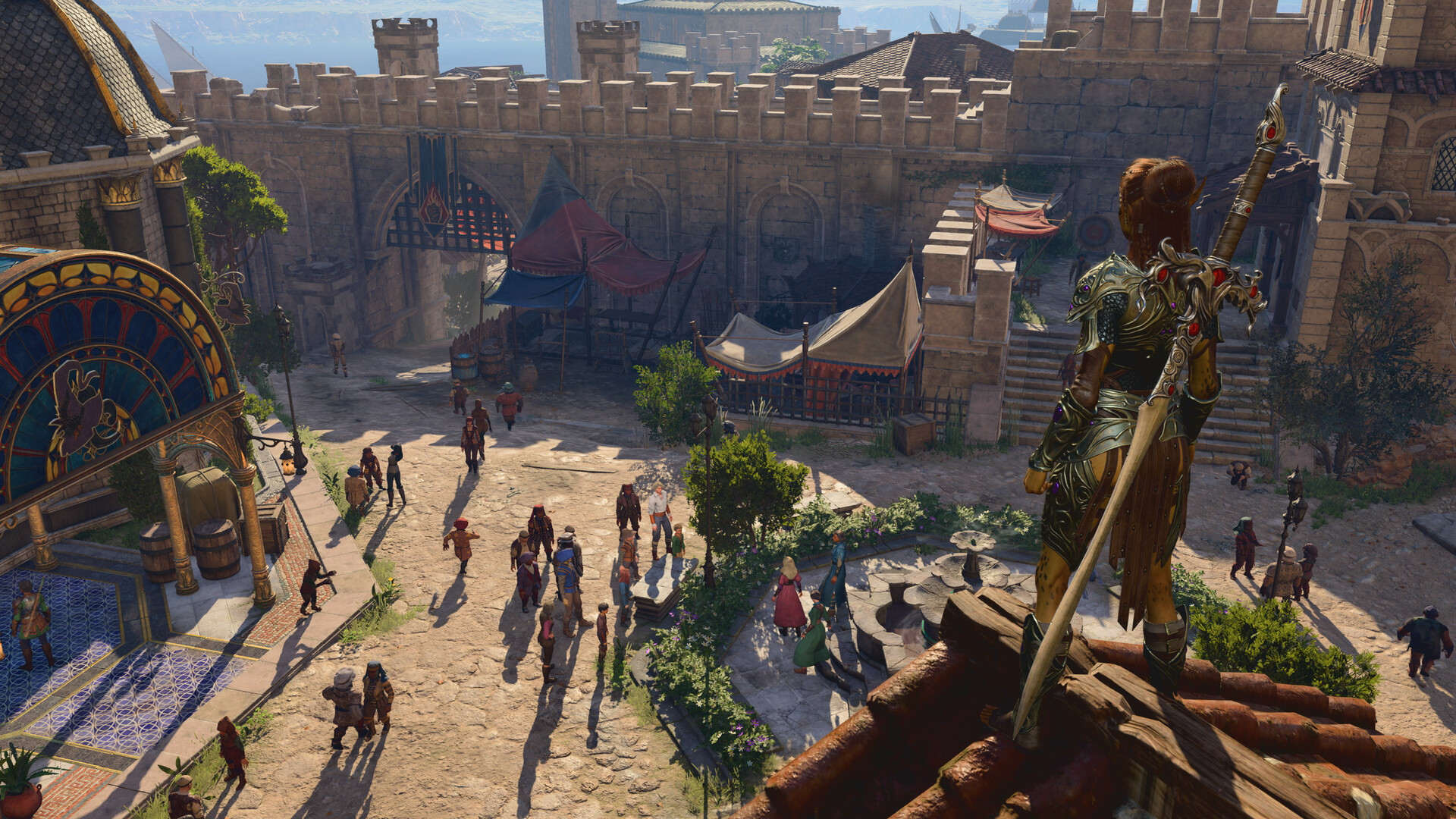
Installing mods with the built-in mod manager (PC, Mac, PS5, Xbox)
This is the official method, identical on all platforms:
- From the main menu, open the Mods entry, then the mod browser. A Larian account is required (the same one used for cross-play).
- Browse the catalog using the filters — including the “Available on Mac and Console” filter, which stays in English even in the French client, and is essential for spotting what works outside PC.
- Download the mods you want, then activate them in your list. The manager handles the load order: in case of a conflict between two mods affecting the same content, the one loaded last takes priority, and you can manually reorder the list.
- When loading a save, the mod verification window checks that everything is present and up to date, and offers to download whatever is missing.
On PS5 and Xbox Series, there are two limits to be aware of: only mods approved by Larian appear, and the game enforces a cap of 100 installed mods, put in place to avoid endless loading times and crashes. The heaviest mods display their memory footprint, so keep an eye on the gauge before stacking up cosmetic packs.
Going further on PC: Nexus Mods and the Script Extender
The Nexus pipeline gives access to everything Larian's approval process doesn't cover, notably mods that rely on the Norbyte's Script Extender, an add-on layer that extends the engine's scripting capabilities. It's a prerequisite for many major mods, and it will never work on console.
- The go-to community tool remains BG3 Mod Manager, which installs archives downloaded from Nexus, manages load order, and exports the active list.
- Mods in .pak format go into
%LOCALAPPDATA%\Larian Studios\Baldur's Gate 3\Mods; the tool takes care of that for you. - After every game update — such as the compatibility update on August 3, 2026 — check your Script Extender mods before starting a new session: they're the first to break.
A word about achievements: enabling even a single mod disables Steam achievements and trophies, including for official mods from the built-in manager. On PC, the “Achievement Enabler” mod (Nexus, via Script Extender) re-enables them; on console, there is no workaround.
Mods, cross-play, and saves: the rules to know
Since cross-play and cross-platform saves became a thing (Patch 8, then the August 3, 2026 update), mods are subject to strict constraints:
- In cross-play multiplayer, all participants must have the same mods in the same versions. The mod verification window handles synchronization, within the limits of the catalog accessible on each platform.
- A PC save containing Nexus mods cannot be resumed on PS5 or Xbox Series via cross-platform saves. If you plan to migrate your playthrough, stick to mods from the built-in manager that are available everywhere.
- Before adding or removing a mod mid-playthrough, back up your saves folder (
%LOCALAPPDATA%\Larian Studios\Baldur's Gate 3\PlayerProfiles\Public\Savegames\Storyon PC). Removing a content mod mid-run is the surest way to corrupt a save. - General best practice: lock your mod list for the entire duration of a run, and only experiment early in the game.
Our 2026 picks for heading back to Faerûn
Mod names stay in English, as is the community standard. A few reliable picks, regularly cited among the most downloaded, sorted by use:
Quality of life
- Native Camera Tweaks — unlocks camera tilt and zoom, one of Nexus's most downloaded mods.
- WASD Character Movement — direct keyboard movement instead of point-and-click, action-RPG style.
- Highlight Everything — permanent highlighting of all interactive objects, no more missed crates.
- Carry Weight Increased — increases carrying capacity for compulsive hoarders.
New rules and content
- 5e Spells — over 80 spells from the Dungeons & Dragons rules missing from the base game, from cantrips to 5th level.
- Fantastical Multiverse — dozens of additional playable races drawn from official D&D supplements.
- Level 20 (Multiclass) — pushes the level cap to 20, with full multiclassing.
- Party Limit Begone — expands the party to up to 16 characters, ideal for bringing along every companion.
- Lone Wolf — rebalances the game for solo or duo runs.
Cosmetic
- Tav's Hair Salon — dozens of additional hairstyles at character creation.
- Basket Full of Equipment — a huge wardrobe of armor and outfits.
- Dice Set Expansion — new dice skins for visible rolls.
On console, each of these names should be checked in the mod browser: some are available there in an approved version, while others remain PC-only because of the Script Extender.
What comes next
Baldur's Gate 3 modding is entering its most interesting phase: the one where the community no longer just tweaks the game but builds on top of it. The most ambitious project in development, Path to Menzoberranzan, aims at nothing less than a campaign in the mythical drow city of the Underdark. Nexus's modathons now punctuate the year — the one in July 2026 added nearly 200 mods to the catalog — and Larian keeps approving waves of console mods.
In practical terms, if you're starting a new playthrough this summer: create a Larian account, build a short list of quality-of-life mods through the built-in manager (usable as-is in cross-play), back up your Story folder before any experimenting, and save the big content mods like 5e Spells or Level 20 for a dedicated run that you'll see through to the end with the same list. That's the safest way to enjoy the billion.
Share this article
What do you mainly play modded Baldur's Gate 3 for?
Frequently asked questions
Can I play online with friends if we don't have exactly the same mods?
No. In cross-play, the mod verification window forces everyone to have the same mods at the same versions. It's an automatic check every time a multiplayer session is launched.
I modded my game on PC with Nexus. Can I continue on PS5 with my save file?
Only if you used mods available on the built-in manager on both sides. Nexus mods (especially those relying on Script Extender) are only compatible on PC: a save loaded on PS5 will drop all missing mods and risks bugging out.
How do I re-enable Steam achievements if I like playing modded?
On PC, the Achievement Enabler mod via Nexus Mods (requires Script Extender) re-enables them. On console, it's impossible: achievements stay locked as long as a mod is active.
I'm on console with 100 mods, can I add one more?
No, that's a hard cap imposed by the game. Beyond that, you risk insane loading times or crashes. Check the memory footprint listed on cosmetic packs to stay within the limits.
Which manager should I use for Nexus Mods on PC?
BG3 Mod Manager remains the community standard: it downloads archives, manages load order, and exports the active list without any hassle.
Key takeaways
- The built-in mod manager is enough for consoles and players who want a hassle-free experience; Nexus Mods offers a much larger catalog but requires manual tinkering on PC.
- Achievements and trophies get disabled as soon as a mod is active, even through the official pathway — only the Achievement Enabler mod on PC restores them.
- Consoles cap out at 100 installed mods to avoid slowdowns: keeping an eye on the memory gauge becomes crucial.
- In cross-play, everyone must have the same mods at the same versions; a PC save with Nexus mods can't be carried over to console.
- Lock in your mod list for an entire playthrough: removing a mod mid-game risks corrupting your save.
Comments
No comments yet. Be the first to react!
Leave a comment
Similar guides


Latest articles





Your opinion counts
Rate Baldur's Gate 3
Click a star to rate