



 Alexandre Jollier
Full Guide
NTE (Neverness to Everness) Guide: How to Change Outfits
In brief
Neverness to Everness offers a wide range of outfits to customize your characters. Find out how to access the outfit menu via your in-game phone and the different ways to unlock new outfits, whether with Fons, affinity challenges, or the Fashion Shop.
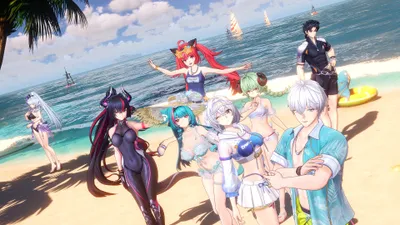
In Neverness to Everness, a multitude of clothing choices lets you customize your characters' looks. Let's see how to change outfits and unlock new customization options.
How to change outfits in NTE
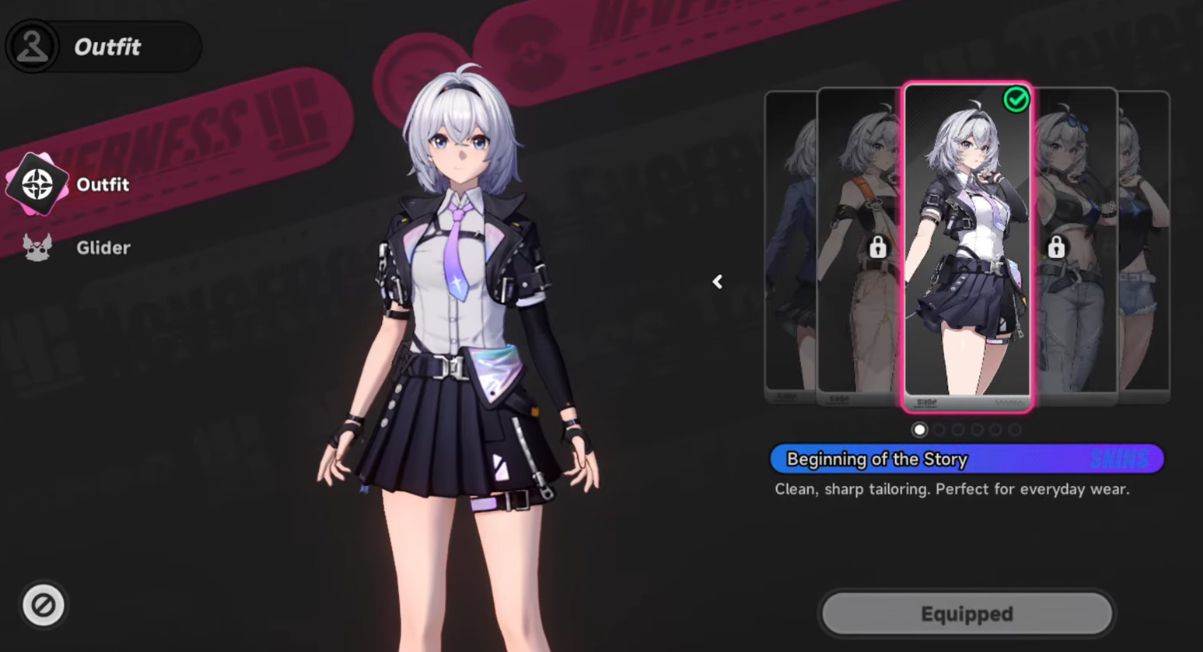
Open your phone in the game, then head to the Characters tab. There you'll find all the characters you've unlocked. In the side menu, choose the character whose outfit you want to change. All that's left is to go to that character's page, then head to the bottom left corner to find the Outfit option. Clicking on it will display all the possible costumes for that character.
Note
Not all characters have the same range of outfits, some have more options than others.
How to get new outfits
Most outfits can be obtained in exchange for Fons, the game's currency. To quickly earn Fons, simply open chests, complete quests, or do activities such as anomaly commissions.
Some outfits can be unlocked through challenges. For example, reaching maximum affinity level with certain characters can earn you certain outfits for free. Chiz, Mint, Nannaly, Fadia, and Jiuyuan can grant you additional outfits once your affinity level reaches 10.
Finally, in the Fashion Shop accessible via the mall menu on your phone, you can find premium outfits.
Glider customization
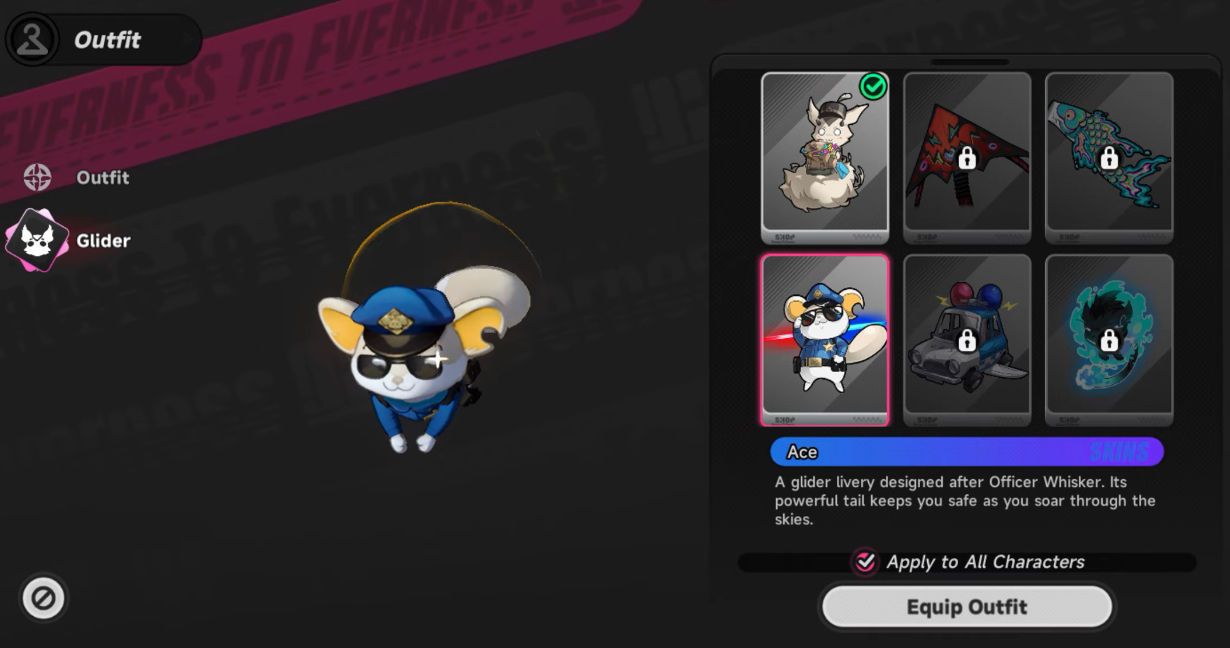
In the same menu where you change outfits, there's the Glider option just below the outfits, and clicking on it will show you all your available gliders. As with outfits, each character can have a different glider, allowing for even greater customization.
Tip
If you fall in love with a glider, you can apply it to all your characters with a single click.
Share this article
What most motivates you to change outfits in a role-playing game?
Frequently asked questions
How do you access the outfit menu in NTE?
Open your in-game phone, go to the Characters tab, select the desired character, then click on the Outfit option at the bottom left of their page.
What's the best way to quickly earn Fons to buy outfits?
You can open chests, complete quests, or carry out activities like anomaly commissions to quickly accumulate Fons.
Are there free outfits to unlock in the game?
Yes, some outfits are unlocked by reaching affinity level 10 with specific characters like Chiz, Mint, Nannaly, Fadia, and Jiuyuan.
Can I apply the same glider to all my characters?
Yes, if you find a glider you like, you can apply it to all your characters in a single click.
Key takeaways
- Access outfits by going to the Characters tab on your in-game phone, then select the bottom left corner.
- Most outfits are bought with Fons, the game's main currency.
- Unlock outfits for free by reaching maximum affinity level with certain characters like Chiz, Mint, or Nannaly.
- Also customize your gliders for each character with the same ease as outfits.
- Apply a glider to all your characters in a single click if you find a design you like.
Comments
No comments yet. Be the first to react!
Leave a comment
Similar guides




Latest articles







Your opinion counts
Rate NTE: Neverness to Everness
Click a star to rate