



 Alexandre Jollier


Full Guide
Batmobile in LEGO Batman: The Dark Knight Legacy - How to Unlock It
In brief
The Batmobile is unlocked after completing the prologue and the "Infiltration" mission in chapter 1 of LEGO Batman: The Dark Knight's Legacy. This iconic vehicle lets you explore Gotham and fight enemies, with progressive upgrades accessible via the skill tree and the Batcave Garage.
In LEGO Batman: The Dark Knight Legacy, the Batmobile lets you explore Gotham while fighting off thugs. This article will help you unlock it!
Unlocking the Batmobile
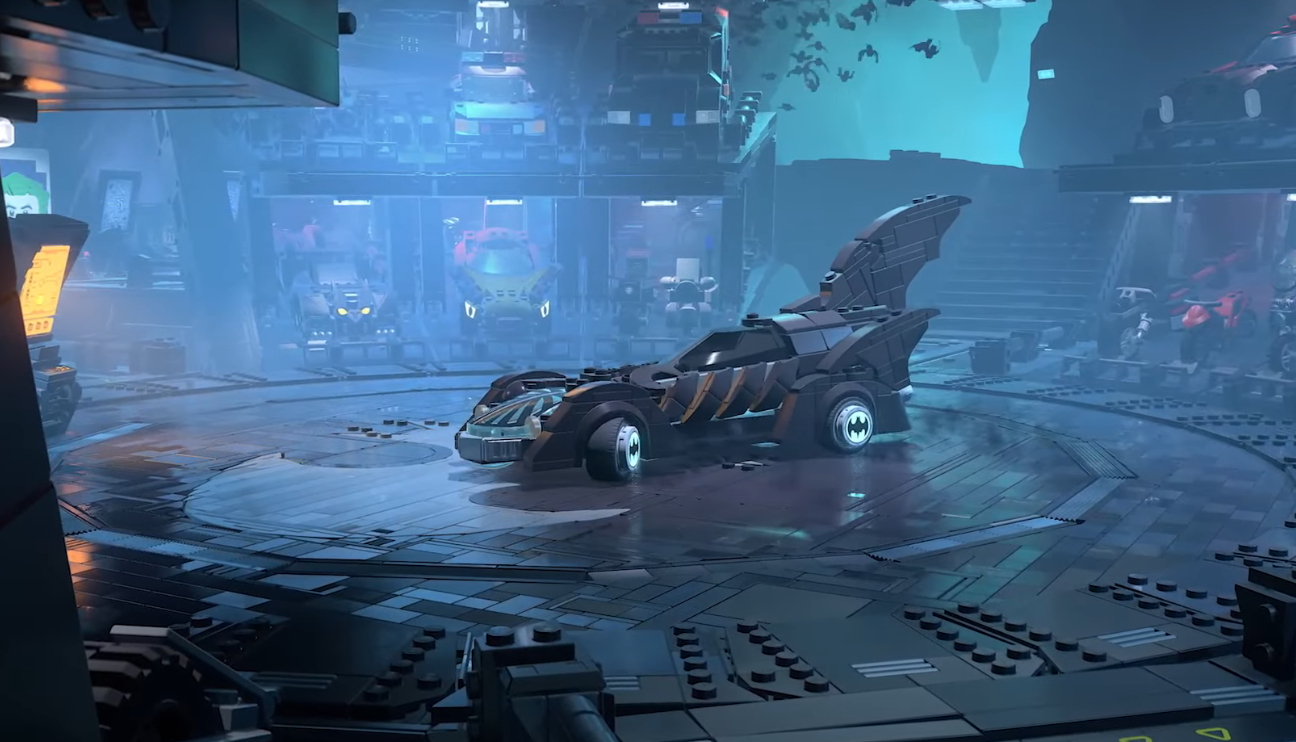
The Batmobile is unlocked during chapter 1. But to unlock this vehicle, you must first complete the prologue. Bruce Wayne then returns to Wayne Manor and discovers the Batcave. After that, you simply need to continue your "Infiltration" mission so that, once completed, the Batmobile will be available to you.
Options, upgrades and customization
The Batmobile offers a speed boost option, but be careful, you'll still lose a lot of handling. As you progress through the story, upgrades related to the Batmobile can be activated either directly by advancing through the story, or via the skill tree. Among other things, these will let you fire missiles at enemy vehicles, pull enemies backward, and even launch into the air from the Batmobile to switch into flight mode.
To customize your Batmobile, you can visit the character selection menu right next to the map by pressing Triangle on PS or Y on Xbox. In this menu, several customization options may be available for players who purchased the Deluxe Edition.
Otherwise, you'll need to continue progressing until the start of chapter 2, which will unlock several new Batcave features, including the Garage. This will let you buy and try out new vehicles.
Other available vehicles
In LEGO Batman: The Dark Knight Legacy, other vehicles can also be unlocked:
| Vehicle | How to unlock it |
|---|---|
| Batmobile | Complete the "Infiltration" mission |
| Batwing | Complete chapter 3 |
| Batcycle | Find all the collectibles in chapter 4 |
Share this article
Which aspect of the Batmobile interests you the most?
Frequently asked questions
How do you unlock the Batmobile quickly?
You must first complete the prologue to access the Batcave, then complete the "Infiltration" mission in chapter 1. Once this mission is finished, the Batmobile will be available to you.
Is the Batmobile's speed boost worth using?
The boost increases your speed but you lose a lot of handling. Use it carefully depending on your playstyle and the mission context.
Where can I customize my Batmobile?
Access the character selection menu via Triangle (PS) or Y (Xbox) near the map. For more options, unlock the Batcave Garage in chapter 2, or buy the Deluxe edition for immediate access.
What upgrades can I get for the Batmobile?
You can unlock missiles to target enemy vehicles, a function to pull enemies in from behind, and a flight mode allowing you to launch into the air. These upgrades are obtained via the skill tree or story progression.
Are there other vehicles to unlock?
Yes, you can also obtain the Batwing (by completing chapter 3) and the Batcycle (by finding all the collectibles in chapter 4). The Garage will let you buy and test other vehicles.
Key takeaways
- The Batmobile unlocks by completing the prologue and then the "Infiltration" mission in chapter 1
- The speed boost increases your performance but significantly reduces the vehicle's handling
- The skill tree and story progression offer major upgrades such as missiles and flight mode
- The Batcave Garage becomes accessible in chapter 2 and lets you buy and test new vehicles
- Batmobile customization is available to Deluxe edition owners or after starting chapter 2
Comments
No comments yet. Be the first to react!
Leave a comment
Similar guides





Latest articles







Your opinion counts
Rate LEGO® Batman™: Legacy of the Dark Knight
Click a star to rate