



 Fabian Lainé

Tips
GTA 6 on PS5: How to disable GTA+ before getting charged and ripped off
In brief
GTA 6 on PS5 offers a free month of GTA+ when you digitally pre-order, but be careful: the subscription automatically renews at €7.99 per month if you don't disable it. Discover the three methods to cancel this renewal and avoid unwanted charges.
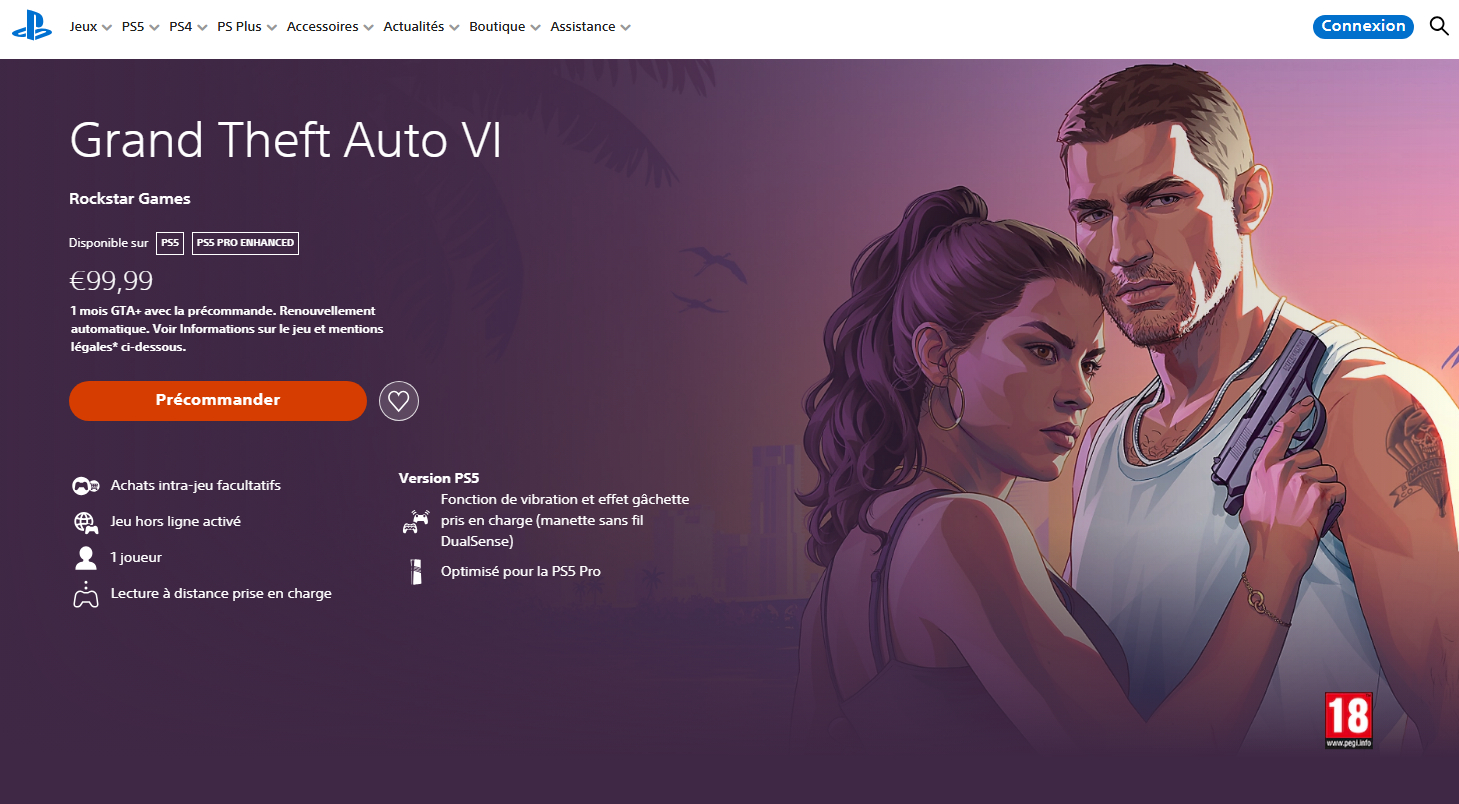
Did you pre-order GTA 6 in digital version on the PlayStation Store? Good news, the store automatically added a free month of GTA+ subscription for you. The catch? When the 30 days expire, the subscription will renew itself all on its own at €7.99 per month if you don't cancel it yourself. Here's how to avoid this rip-off!
Method 1: cancel the subscription directly from the PS5
This is the most direct path. From the console's home screen:
- Open Settings (the gear wheel)
- Go to Users and Accounts
- Select Account
- Open Payment and Subscriptions
- Click on Subscriptions
- Select GTA+
- Press Cancel Subscription
Note
Cancelling cuts off the automatic renewal without taking away the benefits for the month already active, you keep the option until the end of the current period.
Method 2: go through the browser or the PlayStation app
If you'd rather do it from your phone or a PC:
- Via playstation.com: log in to your PSN account, go to Subscription Management, select GTA+ then Cancel
- Via the PS App: PS Store → Options → Subscription Management → Subscription Settings → Cancel
A more radical method: remove the credit card from the PS Store
If you want an absolute guarantee to stop the charge without going through the subscription menus, simply remove the payment method from your PlayStation account. Without a valid card registered, no charge will be possible. It's less convenient for your future purchases, but it's foolproof.
When to act
The free month starts at activation, not necessarily on the game's release date (November 19, 2026). The pre-order offer is valid until March 31, 2027 to use the free month. Do it as soon as your order is confirmed, not the day before it expires: trial-end notifications aren't guaranteed, and forgetting will directly cost you €7.99!
Rockstar confirms that cancellation is commitment-free and effective immediately - you won't have to wait until the end of the trial month to cancel the renewal.
Share this article
Had you noticed this automatic renewal trap before reading this article?
Frequently asked questions
Why does GTA+ activate automatically with the pre-order?
Rockstar includes a free month of GTA+ as a pre-order bonus on the PlayStation Store, but the subscription is set to automatically renew after the 30-day trial. This is a common free trial practice, but the automatic renewal is easy to overlook.
What is the price of GTA+ once the free month expires?
The subscription costs €7.99 per month after the free trial period. If you don't cancel it, this amount will be automatically charged each month to your registered bank card.
If I cancel the subscription before the end of the 30 days, will I lose my perks?
No, cancelling the automatic renewal doesn't deprive you of the perks from the month already active. You'll keep access to GTA+ until the end of the current period, without losing the virtual currency or bonuses.
Until when can I use the free month of GTA+?
The pre-order offer is valid until March 31, 2027 to activate the free month. The month starts when the subscription is activated, not necessarily when the game releases on November 19, 2026.
What happens if I cancel too late and get charged?
If you're charged by mistake, you can contact PlayStation support to request a refund. However, it's better to act as soon as your pre-order is confirmed rather than relying on trial-end notifications, which aren't guaranteed.
Key takeaways
- GTA+ automatically activates with the digital pre-order of GTA 6 and renews itself at €7.99 per month after the 30 free days.
- You can cancel the renewal directly from your PS5 by going to Settings > Users and Accounts > Payment and Subscriptions > Subscriptions.
- You'll keep the perks of the free month even after cancelling the automatic renewal.
- The offer is valid until March 31, 2027, so act as soon as your pre-order is confirmed rather than waiting.
- Removing your bank card from the PS Store remains the most radical solution to guarantee zero charges.
Comments
No comments yet. Be the first to react!
Leave a comment
Similar guides

Latest articles







Your opinion counts
Rate Grand Theft Auto VI
Click a star to rate