



 Fabian Lainé
Tips
Dead by Daylight: Player Intent detailed, the message wheel reserved for survivors — and why turning it off also cuts you off from calls for help
In brief
The Player Intent System arrives this fall in Dead by Daylight: a wheel of preset messages for survivors, displayed discreetly next to your name in the HUD. Be careful not to hit the global toggle out of reflex — turning it off also cuts you off from your team's calls for help. An individual mute exists to silence just the player who's annoying you.
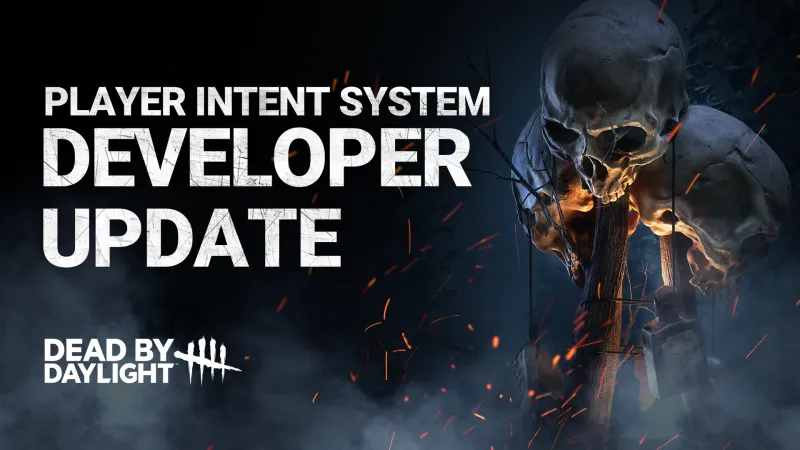
Behaviour Interactive published a developer blog post on August 14, 2026 devoted to the Player Intent System, a wheel of preset messages designed for in-match communication. The studio announces it for "this Fall" and leaves it at that: no date, no version number.
Two pieces of information matter right away. The feature is survivor-only: nothing equivalent has been shown on the killer side. And if the whole idea worries you, a toggle lets you turn everything off — but this deactivation is total and reciprocal: you'll no longer send anything and won't see anything either, including your team's calls for help.
Between "leave everything on" and "turn everything off," there is nevertheless a third, more discreet option: the individual mute, which only silences the person bothering you.
No French label has been published: all names remain in English in this article
The post exists only in English: neither deadbydaylight.com, nor the studio's forums, nor Steam offer a French version. This isn't a simple publishing delay. The official screenshots show unresolved localization keys in the menu tooltips, such as "@#TEAM MESSAGES" or "@#OPTION 7": the build shown predates the translation pass.
We are therefore keeping every label exactly as the studio writes it, with a descriptive explanation in parentheses, and without offering any homemade translation of Player Intent or the eight messages. Expect the French labels to differ from those listed here once the feature rolls out: those will be Behaviour's, and any invention on our part would prevent you from finding the option in your menus.
Eight default messages, but eight configurable slots drawn from a larger list
In the Options menu shown in the official screenshots, the feature occupies a dedicated page. Under the TEAM MESSAGES category are eight slots, filled by default as follows:
- Going for Generator — announcing that you're heading to a generator
- Going for unhook — announcing that you're going to unhook a teammate
- Chasing Me — signaling that the killer is chasing you
- Healing — signaling that healing is in progress
- Help! — the call for help
- Thanks — the thank-you
- Split up! — inviting the team to spread out
- Repair — repairing
The important detail lies elsewhere: each slot is a dropdown menu. These eight messages are not the full list of available messages, but the default configuration shipped with the feature. You pick from a larger pool to build your wheel, and a RESTORE DEFAULTS button brings back the original selection.
At the top of that same page, an Enable Player Intent toggle controls the whole system, with only two positions: on or off. At this stage, no intermediate setting such as "send without receiving" has been shown.
The message appears next to your name, not in the middle of the screen
The immediate worry is seeing text bubbles pop up in the middle of a chase. The message actually appears next to the player's name in the HUD, in the survivor list displayed in the top left — the spot you're already checking to see who's hooked.
The studio writes that other survivors see the message "next to your name in the game HUD, keeping your general view clear of distractions." The play area therefore stays clear: the information is available without being imposed, tucked in a corner of the screen rather than in your central field of view while looping a pallet.
The anti-spam safeguard: a cooldown between messages that grows if you keep pushing
The other legitimate concern is the player who hammers the same message throughout the whole match. The post addresses it: « To help combat message spam, you can expect a cooldown between messages, which will increase if too many messages are sent in a short period. »
A delay therefore applies between two sends, and it is progressive: the higher the rate over a short period, the longer the wait becomes. The mechanism targets abusive behavior without penalizing the survivor who warns three times that they're being chased. The exact duration of this delay and its scale have not been disclosed.
Turning off the system also makes you deaf to your own team's calls
This is the most important point of the announcement, and the one most likely to be misunderstood. The in-game tooltip is unambiguous: « When player intent is disabled, all incoming messages are muted and you cannot send messages ». The post hammers the point home: « Once disabled, you will not be able to send messages to players and will not see the messages they send. »
The cutoff is mutual. Many will disable Player Intent out of reflex, anticipating annoyance, without realizing they're also giving up all incoming information: no more teammate announcing they're going to unhook, no more Help! from someone in trouble, no more Chasing Me to locate the killer.
In a team where three players out of four use the feature, the fourth is playing with a self-inflicted handicap. Before flipping the switch, ask yourself the right question: is it the principle that bothers you, or one particular player?
Individual muting: the middle-ground option few will spot
Behaviour specifies that « If you're finding a certain player's messages distracting, muting them will block any further Player Intent messages ». The setting isn't in the Options menu: it's found in the player scoreboard, in the form of a crossed-out speech bubble icon to the right of each row.
It's the right tool in the vast majority of cases: you cut off the one annoying you and keep receiving the other three. But the icon is discreet, tucked away in an interface few players explore mid-match: a good portion of the community will go straight for the master switch when a targeted mute would have been enough.
The real intended audience: the solo survivor without a mic
A team of four friends on a voice chat has nothing to gain from this feature: they already communicate better and faster. The system is aimed at the other, majority population — the one that queues up solo and ends up with three strangers, with no coordination channel whatsoever.
For this player, the eight default messages cover most of the misunderstandings that cost matches: two survivors going to unhook the same person, three stacked on the same generator, or the opposite, no one coming when a teammate is calling for help. This won't replace reading the match or making good perk choices — a topic covered in our survivor tier list from early August — but it removes an entire category of coordination errors.
What Behaviour hasn't said, and what will need to be checked at rollout
Three gray areas remain, worth keeping in mind rather than trusting the speculation that will circulate before fall.
- The date. "This fall" is all that has been said: no day, no month, no update number.
- The complete list of messages. The eight known labels are those of the default configuration. The pool they are drawn from hasn't been published, nor has its number of entries.
- Silence on the killer side. The feature is announced for survivors only, with no equivalent or timeline mentioned for the other side.
Key dates to remember
- August 14, 2026: publication of the Developer Update: Player Intent System post on Behaviour's forums, with screenshots of the Options menu as supporting evidence.
- Fall 2026: announced arrival, with no date or version confirmed.
- August 25, 2026: release of Chapter 41 "Chorus of Sin," whose PTB we detailed on August 5 — Player Intent is not tied to it.
We will update this guide upon release, to document the complete list of messages and the English labels chosen by the studio.
Share this article
Faced with the Player Intent System, you're more likely to…
Frequently asked questions
If I disable Player Intent, will I at least still receive my team's Help! calls?
No. The toggle is all or nothing: by disabling it, you'll no longer send anything AND you won't see anything either, including calls for help. If it's one particular player bothering you, use the individual mute from the player list instead.
How many messages in total will be configurable in the wheel?
Behaviour has only published the eight from the default configuration (Going for Generator, Chasing Me, Help!, Healing, Repair, Going for unhook, Split up!, Thanks). The full list they're drawn from hasn't been revealed — we'll find out at launch.
Will killers get their own message system?
No announcement so far. Player Intent has been presented exclusively for survivors, and the studio's complete silence on a killer-side equivalent leaves doubt hanging.
Where does the message appear when a survivor sends it?
Next to the player's name in the HUD (survivor list in the top left), the spot you're already checking to see who's hooked. No floating bubble in the middle of the screen while you're looping a pallet.
If I spam the same message, what happens?
A delay applies between two sends, and it gets longer if you overdo it — the faster you spam, the longer the wait grows. It's designed to slow down toxic players without penalizing someone who shouts three times that they're in a chase.
Key takeaways
- Eight configurable messages by default (Going for Generator, Chasing Me, Help!, etc.), drawn from a larger list that Behaviour hasn't revealed yet.
- Messages appear next to your name in the HUD in the top left corner, not in the middle of the screen — your play area stays clear.
- Disabling Player Intent via the Enable Player Intent toggle makes you deaf to all calls from your own team, not just spammers.
- The individual mute (crossed-out speech bubble icon in the player list) is usually enough: it just silences the person bothering you without sacrificing all coordination.
- A progressive delay between two messages gets longer if you keep spamming — anti-spam calibrated so it doesn't penalize genuine alerts.
Comments
No comments yet. Be the first to react!
Leave a comment
Similar guides




Latest articles






Your opinion counts
Rate Dead by Daylight
Click a star to rate